

Home | Contact Us | Submit Troubleshooting Info | Search | Help
Output | Software Solutions | Proofing | Color, Screening and Calibration | Scanning | Digital Photography | Consumables | POS
Home | Contact Us | Submit Troubleshooting Info | Search | Help
Output | Software Solutions | Proofing | Color, Screening and Calibration | Scanning | Digital Photography | Consumables | POS
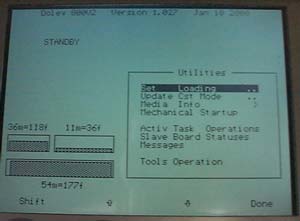
The Tools Operation utilities is activated via the Util option on the Dolev
800V² Control Panel
This option enables you to perform various utilities and machine setup.
Press the Util function key on the control panel.
Use the arrow key to select the Tools Operation and press Done.
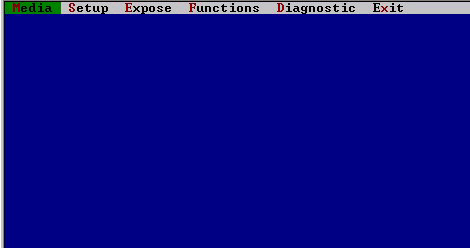
Use the arrow keys to navigate between the menus and to select the needed
function.
Press Done to select or use the Shift + Esc to go back.
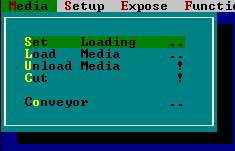
Set Loading - Select Set Loading from the Media menu to automatically cut the section of the media that was exposed to light, and dispose of it in the unloading cassette/inline processor.
Toggle the Cassette field to LRG, MED, or SML (the default), according to the size of cassette currently used. Note: If you are using two (2) Large cassettes, toggle the field to LWR (lower) or UPR (upper).
Load Media - Select Load Media from the Media menu to load film onto the Imagesetter.
Toggle the Cassette field to LRG, MED, or SML (the default), according to the size of cassette currently used. Note: If you are using two (2) Large cassettes, toggle the field to LWR (lower) or UPR (upper).
In the Film Length field, enter the length of the film to be loaded into the Imagesetter (the default is 750.00 mm).
Unload Media - Select Unload Media from the Media menu to unload media from the Imagesetter.
Cut - Select Cut Media from the Media menu to move the cutter from side to side (this is useful if film is not cut automatically)
Conveyor - Select Conveyor from the Media menu to start/stop the conveyor.
In the Conveyor form which appears:
Toggle the State field to Start (the default) or to Stop.
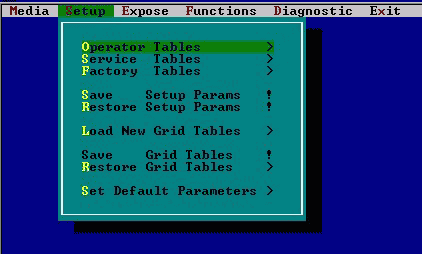
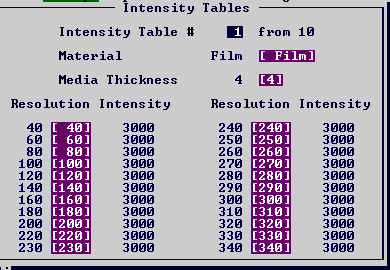
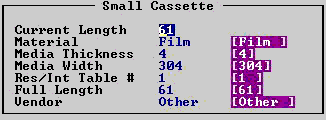
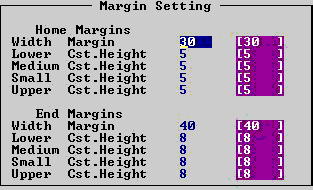
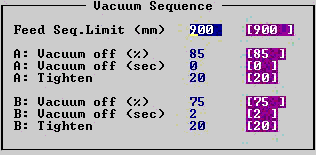
Operator Tables - Select Operator Tables from the Setup menu to update the values of a Res/Int table, Update cassette mode or change the media information.
The Intensity table:
The Media Info table:
Service Tables
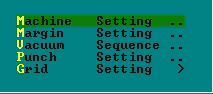
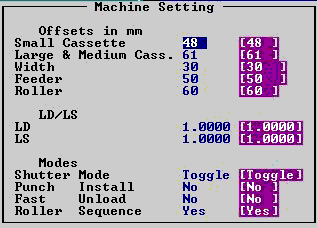
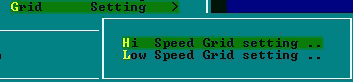
Grid Setting
We have two tables in the grid setting. The Hi Speed Grid setting table is for speeds above 20000 rpm and the Low Speed Grid setting is for speeds up to 20000rpm.
Factory Tables
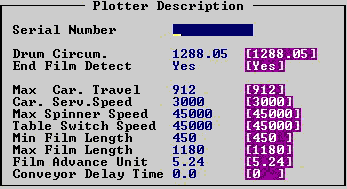
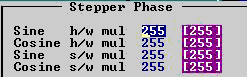
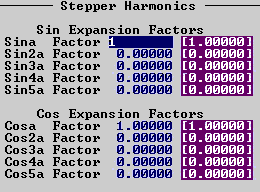
Save Setup Params - This function will save the parameters to a diskette in drive A.
Restor Setup Params - This function will restore the parameters from a floppy in drive A to the flesh memory.
Load New Grid Tables - This function will load new grid table from a diskette.
Save Grid Tables - This function will save the grid parameters to a diskette in drive A.
Restore Grid Tables - This function will restore the grid parameters from a floppy in drive A to the flesh memory.
Set Default Parameters - This function will set all the parameters to default values.
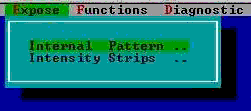
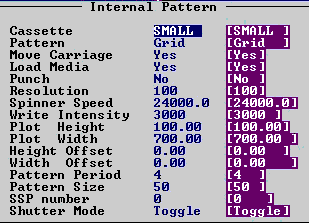
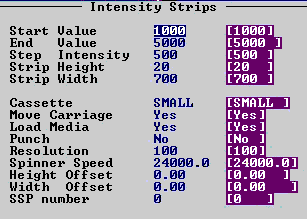
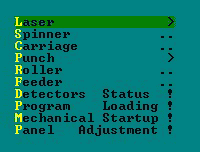
Laser - The laset function can be selected to calibrat the laser beam to a specific number or to turn the laser beam on.
Spinner - The spinner function will activate the spinner with the requiered spinner speed or will stop the spinner.
Carriage - This function will move the carriage to a specific location or will go to the home or end positions.
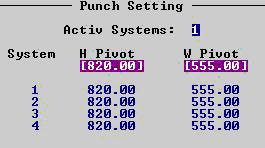
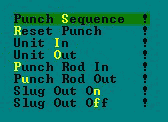
Punch - This function will operate several punch tasks as define in the sub-menu:
Roller - Select Roller from the Function menu to move the roller for
testing purposes. In the Roller form which appears:
Toggle the To detector field to EP (end position - the default), HP (home
position), or POS (the position specified in the To location field).
If you set the field to EP or HP, the value in the To location field is irrelevant.
Type in the To location field the position to which you wish to move the roller (the default value is 750.00 mm).
Feeded - Select Feeder from the Function menu to start/stop the
movement of the loading axis.
In the Feeder form which appears:
Toggle the State field to Start or to Stop (the default).
If you set the field to Stop, the value in the Direction field is irrelevant.
Toggle the Direction field to Bkwd (backwards) or Frwd (forwards - the default).
Detectors Status - Select Detectors Status from the Film menu to find out the status of various detectors and parts.
The following window appears:
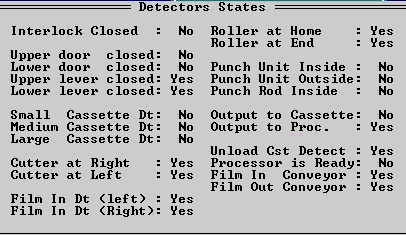
Program Loading - Select program loading to reload the Dolev program.
Mechanical Startup - Select Mechanical Startup from the Film menu to perform mechanical tests and bring the machine to the Standby state
Panel Adjustment - This utility can used to adjust the LCD display.
The Diagnostic pull down menu:
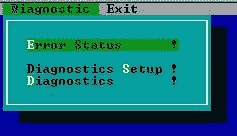
The error status will activet the error status screen:
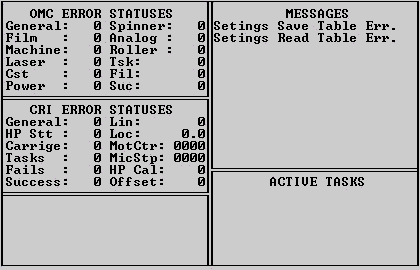
Perform the diagnostics routine(s) appropriate to the malfunction.