Home | Contact Us | Submit Troubleshooting Info | Search | Help
Output | Software Solutions | Proofing | Color, Screening and Calibration | Scanning | Digital Photography | Consumables | POS
Home | Contact Us | Submit Troubleshooting Info | Search | Help
Output | Software Solutions | Proofing | Color, Screening and Calibration | Scanning | Digital Photography | Consumables | POS
Oiling Kit Installation
A. Posner
Document Released: 11/20/97
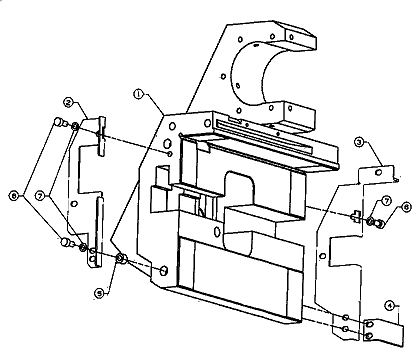
This procedure is for an oiling kit installation. The kit should be installed on machines with "white lines" on the image that can be related to carriage movement.
The kit catalog number:
510K51054 - KIT,DOLEV 800 OIL SYSTEM
Description of the Installation procedure:
Drawing part list/description: