

Home | Contact Us | Submit Troubleshooting Info | Search | Help
Output | Software Solutions | Proofing | Color, Screening and Calibration | Scanning | Digital Photography | Consumables | POS
Home | Contact Us | Submit Troubleshooting Info | Search | Help
Output | Software Solutions | Proofing | Color, Screening and Calibration | Scanning | Digital Photography | Consumables | POS
|
Prepared By: Haim Vaknin |
FCO Kit No: |
|
Comp. Level: N/A |
Machine S/N: N/A |
|
Catalog No: |
S/W Affected: N/A |
|
Type of Change:Conditional |
Total Number of Pages: 1 |
|
Product Mgr: Yehuda Solomon |
Approval Date: |
|
Product Support: Haim Vaknin |
Approval Date:12 Feb 02 |
|
Customer Support Mgr: Assaf Zach |
Approval Date: |
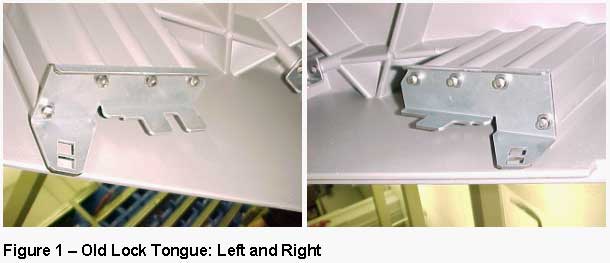
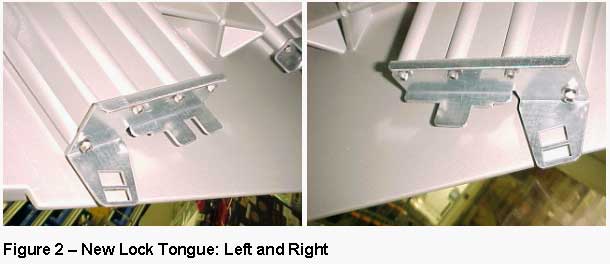
The lock tounge for the top door of the Lotem 400 has been redesigned to prevent the door from getting stuck.
| P/N | Description | Qty |
| 290A8L1408A | LOCK TONGUE (LEFT) | 1 |
| 290A8L1409A | LOCK TONGUE (RIGHT) | 1 |
| 7!FCO-DOC | FCO DOCUMENT | 1 |