Home | Contact Us | Submit Troubleshooting Info | Search | Help
Output | Software Solutions | Proofing | Color, Screening and Calibration | Scanning | Digital Photography | Consumables | POS
Home | Contact Us | Submit Troubleshooting Info | Search | Help
Output | Software Solutions | Proofing | Color, Screening and Calibration | Scanning | Digital Photography | Consumables | POS
|
|
||||
Product |
Lotem® 400 |
|||
|
|
||||
Background |
Distribution box L400 Omron FH (514-00027A) is faulty, but the only spare available is distribution box L400 (510P1M601). |
|||
|
|
||||
Procedure |
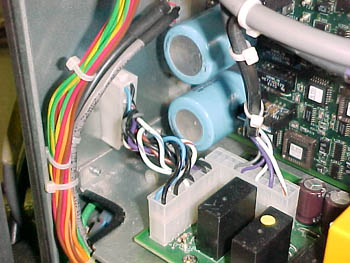
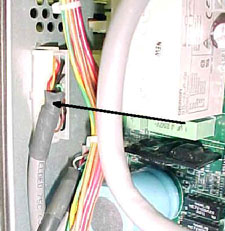
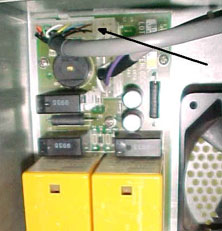
Important: Perform this procedure only if it is absolutely essential! Install an older version of the distribution box (510P1M601), but use the interlock board (and in some cases, the interlock cable) from the faulty Omron FH version (514-00027A). Before you start, check which distribution box is contained in distribution box + package 510P1M601:
Note: If you have distribution box 506E2D185, the interlock cable is not compatible. Replace the interlock cable, as described below.
| |||
|
|
||||
Technical contact(s) |
Content owner: Mario Amir |
|||
Date submitted |
22 May 2003 |
|||