Home | Contact Us | Submit Troubleshooting Info | Search | Help
Output | Software Solutions | Proofing | Color, Screening and Calibration | Scanning | Digital Photography | Consumables | POS
Home | Contact Us | Submit Troubleshooting Info | Search | Help
Output | Software Solutions | Proofing | Color, Screening and Calibration | Scanning | Digital Photography | Consumables | POS
|
|
|||
Product |
Lotem™ 400 Xpose |
||
|
|
|||
Background |
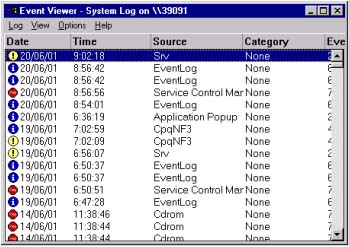
If you suspect that a disk error exists, you can check in the event viewer. |
||
|
|
|||
Procedure |
Open the Event Viewer (Start>Programs>Administrative Tools>Event
Viewer), and then check if a disk error exists. |
||
|
|
|||
Technical contact(s) |
Content owner: Mario Amir |
||
Date submitted |
17 Feb 2003 |
||