Procedure |
|
- Open the front and back top covers of the platesetter.
- Make sure that there is a plate in cassette 1. If required, remove
any paper that may be covering the uppermost plate.
- Bring the XY bar into the cassette:
- Open the X Motor dialog box:
From the Hardware tree, select Loading System > Loading Plate
to Drum > X System and then double-click X Motor.
- Repeat step a for the Y motor.
- In the X Motor dialog box, in the Position box, type
335
and click Start. The XY bar moves toward cassette 1.
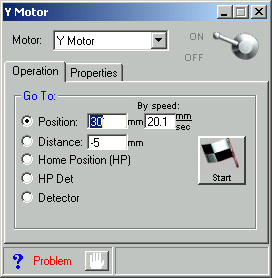
- In the Y Motor dialog box, in the Position box, type
30
and click Start. The XY bar descends toward the plate.
- Open the following dialog boxes:
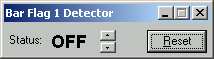
- Bar Flag 1 Detector
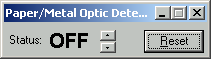
- Paper/metal Optic Detector
- In the Y Motor dialog box, select Detector and click Start.
- The XY bar descends to the bar flag.
- The bar flag 1 detector status changes to ON.
- The paper/metal optic detector status changes to ON.
- Make a note of the position value of the Y motor that appears in the
lower right corner of the Y Motor dialog box: for example, 205.
- Raise the loading system bar:
In the Y motor dialog box, in the Distance box, type -5
and click Start. Continue to click Start until the Paper/Metal
Optic Detector status changes to OFF.
- Make a note of the position value of the Y motor: for example, 160.
- Calculate Z = (value in step 8 - value in step 6) /2 = 22.5
(
22).
Note: The default value is 15.
- In the registry, in Loading System Setup > Y Rel to Read Paper
Metal Det [mm], type the Z value (
22).
|