Home | Contact Us | Submit Troubleshooting Info | Search | Help
Output | Software Solutions | Proofing | Color, Screening and Calibration | Scanning | Digital Photography | Consumables | POS
Home | Contact Us | Submit Troubleshooting Info | Search | Help
Output | Software Solutions | Proofing | Color, Screening and Calibration | Scanning | Digital Photography | Consumables | POS
Product |
|
||
Background |
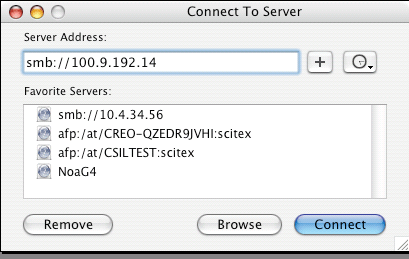
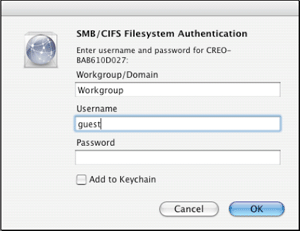
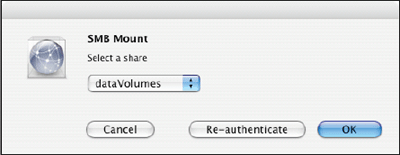
Mac OS X does not require PC MacLAN™ to connect to the Xpose software. |
||
Procedure |
|
||
Technical contact(s) |
Content owner: Mario Amir |
||
Date submitted |
16 Aug 2005 |
||