Home | Contact Us | Submit Troubleshooting Info | Search | Help
Output | Software Solutions | Proofing | Color, Screening and Calibration | Scanning | Digital Photography | Consumables | POS
Home | Contact Us | Submit Troubleshooting Info | Search | Help
Output | Software Solutions | Proofing | Color, Screening and Calibration | Scanning | Digital Photography | Consumables | POS
|
|
|||
Product |
Lotem® 400 manual loading platesetters
|
||
Component |
Nut on plate stopper pneumatic piston |
||
|
|
|||
Symptoms |
During manual loading, the plate hits the front panel, and cannot enter the platesetter. |
||
|
|
|||
Cause |
The nut on the plate stopper pneumatic piston gets loose, so the piston cannot support the front panel. The panel stays closed, preventing the plate from entering the platesetter. |
||
|
|
|||
Solution |
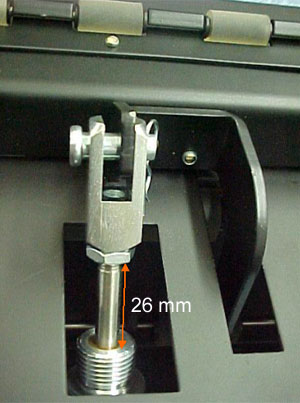
Adjust the nut on the plate stopper pneumatic piston to a distance of
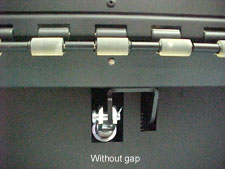
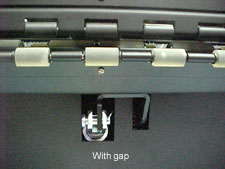
26 mm, as shown. When the nut on the plate stopper pneumatic piston is properly adjusted
and the panel is closed, you can see a gap between the rollers, as shown
in the right-hand photograph. |
||
|
|
|||
Technical contact(s) |
|||
Submitted by |
|||
Date submitted |
02 Jul 2003 |
||