Home | Contact Us | Submit Troubleshooting Info | Search | Help
Output | Software Solutions | Proofing | Color, Screening and Calibration | Scanning | Digital Photography | Consumables | POS
Home | Contact Us | Submit Troubleshooting Info | Search | Help
Output | Software Solutions | Proofing | Color, Screening and Calibration | Scanning | Digital Photography | Consumables | POS
| Machine S/N: | All machines under 99010120 |
| Type of Change: | Mandatory |
| Customer Support Mgr: | Kuty Paperny |
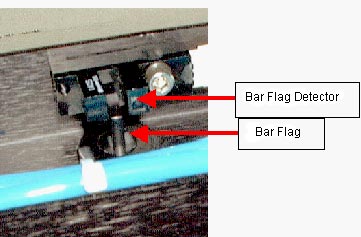
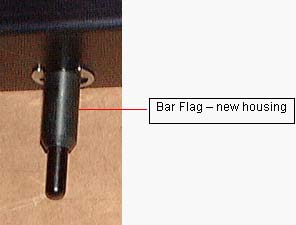
The old- type bar flag causes marks (dents) on plate. The new bar flag housing has phase at the end to support the new sequence that will be released to the field soon.
Replace the present bar flag and housing with new type of each.
Expose uniform image on a plate and check that the plate is unmarked and not dented.
Bar Flag – 290B8L740
Housing - 290B9L698
N/A
You can dispose of the old bar flag with the housing.
The following FCO kits need to be ordered by the Subsidiaries:
STA - 45
STE - 45
STAP – 8
STN - 8
STMA – 6