

Home | Contact Us | Submit Troubleshooting Info | Search | Help
Output | Software Solutions | Proofing | Color, Screening and Calibration | Scanning | Digital Photography | Consumables | POS
Home | Contact Us | Submit Troubleshooting Info | Search | Help
Output | Software Solutions | Proofing | Color, Screening and Calibration | Scanning | Digital Photography | Consumables | POS
Description
Two different revisions of MCF boards share the same part number: 503C2L166S.
We cannot control the board's revisions. When an MCF replacement is required,
several steps must be performed due to the different Xilix files that are needed
to load according to the board revision.
Replacement Description
Identify The Board Revision
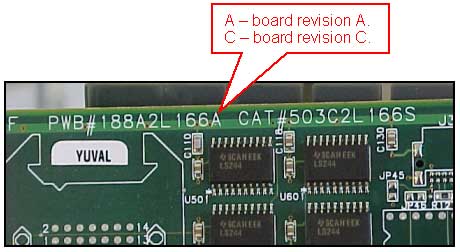
Changing the Xilinx according to Board Revision
LOTEM 400
LOTEM 800