

Home | Contact Us | Submit Troubleshooting Info | Search | Help
Output | Software Solutions | Proofing | Color, Screening and Calibration | Scanning | Digital Photography | Consumables | POS
Home | Contact Us | Submit Troubleshooting Info | Search | Help
Output | Software Solutions | Proofing | Color, Screening and Calibration | Scanning | Digital Photography | Consumables | POS
The carriage H.P procedure sets the starting point of the carriage. It is most important that the starting point will be exactly the same every time the carriage begins to move. This is why the Lotem uses two H.P. detectors. The course detector establishes the initial coarse setting and the fine detector fine-tunes the exact position.
|
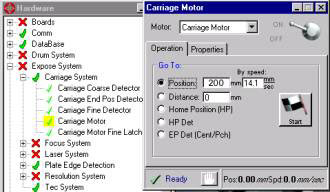
1. Open the carriage motor via Hardware/Expose System/Carriage System/Carriage Motor 2. Send the Carriage to position 200 |
 |
| 3. Adjust the bracket holding the Home Position detector so that the screws holding the bracket to the machine are positioned in the middle of the oval holes. This should be 2.5mm from the edge of the holes. | 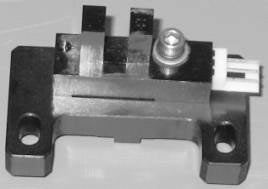 |
|
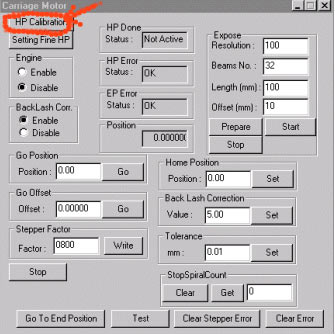
4. Right click on Hardware/Expose System/Carriage System/Carriage Motor and a new window will open. 5. Click H.P. Calibration and the carriage will go to the H.P. |
 |
|
1. After you finish the coarse H.P. Adjustment, click |
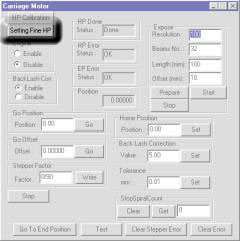 |
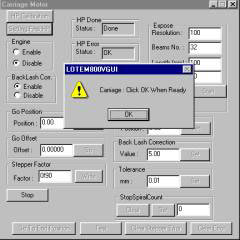
| The carriage will perform fine adjustment. A confirmation
window opens. Do not click on the window yet. |
 |
|
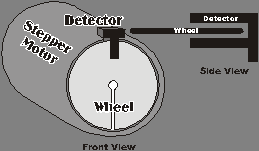
2. Use a #6 Allen to loosen the two screws holding the fine adjustment wheel in place. Turn the wheel so that the notch is positioned 180 degrees from the fine H.P. detector. Make sure that the wheel turns in the middle of the detector and does not touch it. Tighten the screws |
 |
| 3. Now click OK in the opened window. | 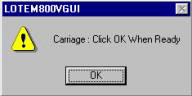 |
| 4. After clicking OK, see that the wheel notch is positioned slightly to the left Side of the detector. | 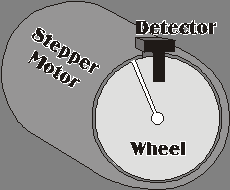 |
| 5. Check that the position window shows a null value. | 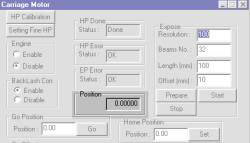 |
| 6. Expose a plate with a 100 mm flat tint in the along the drum direction. The file can be as little as 10mm in the around the drum direction. Do not use any offset.Expose "Top Left". | 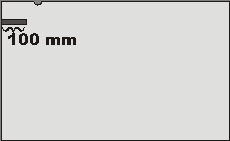 |
|
7. Measure the distance across the exposed tint. It should be exactly 100 mm. If the tint is shorter than that, it shows that the file starts exposing before the edge of the plate. If the exposed tint is 100mm, but there is space between the edge of the plate and the tint, the file starts exposing too late. |
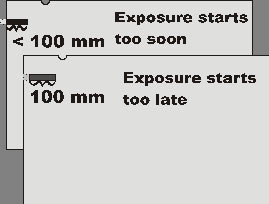 |
|
8. Correct for the error if necessary by changing the "Height Start Image Area Factor". Utilities/Hardware/Others/Lotem800V/Machine Increase the value if the exposure started too soon. Decrease the value if the exposure started too late. Change the value directly by the error (+ or -) measured in mm. |
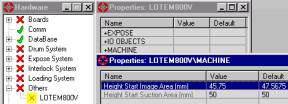 |