

Home | Contact Us | Submit Troubleshooting Info | Search | Help
Output | Software Solutions | Proofing | Color, Screening and Calibration | Scanning | Digital Photography | Consumables | POS
Home | Contact Us | Submit Troubleshooting Info | Search | Help
Output | Software Solutions | Proofing | Color, Screening and Calibration | Scanning | Digital Photography | Consumables | POS
Side to Side Adjustment Procedure
|
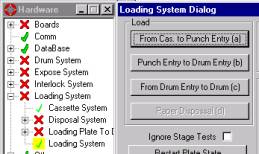
Open the loading system dialog. Hardware/Loading System/Loading System(double click) |
 |
|
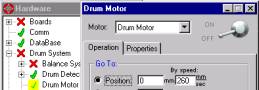
Power off the drum. Hardware/Drum System/Drum Motor |
 |
| By hand, move the Tail Grippers to the end of the drum slots | 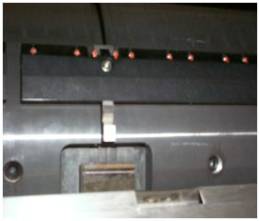 |
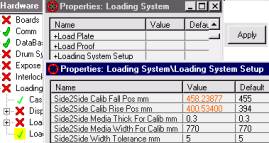
| Make sure that you are working with plate width of 770 mm. | 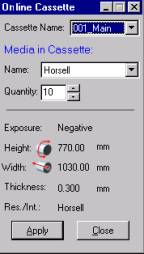 |
If you need to change the value, Go to: Hardware/Loading System/Loading System (right click) / +Loading System Setup (double left click)/ Side2Side Media width for Calib mm |
 |
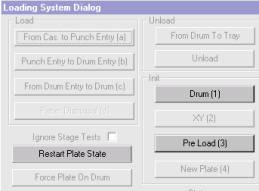
| Perform Restart Plate State ,Drum init, Pre-Load. in the previously opened loading system dialog. |
 |
|
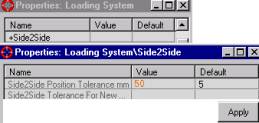
Go to: Hardware/Loading System/Loading System (right click) / +Side 2 Side (double left click)/ Side2Side PositionTolerance mm Change the side2side position tolerence mm from 5 to 50. Click Apply |
 |
|
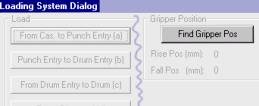
Open the Loading System dialog and click Find Gripper Position 3 times Write down the Rise Pos (mm) Calculate the two mean (average) values. |
 |
|
Go to: Hardware/Loading System/Loading System (right click) / +Loading System Setup (double left click)/ Side2Side Calib Rise Pos. mm Enter the mean value of the Rise Pos. in Side2Side Calib Rise Pos. mm. Enter the mean value of the Rise Fall. in Side2Side Calib Fall Pos. mm. |
|
|
Go to: Hardware/Loading System/Loading System (right click) / +Side 2 Side (double left click)/ Side2Side PositionTolerance mm Return the Side 2 side Position tolerance mm to 5 and click Apply. |
|
|
Re open the OnLine Cassette window and choose another plate size. Note: You do not have to actually change plates as the rest of the test does not involve plate loading. Just be sure to choose again the actual plate size after the test is complete. |
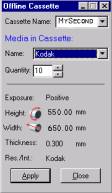 |
| Perform New Plate with a different plate size | 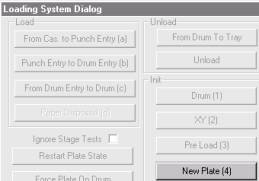 |
|
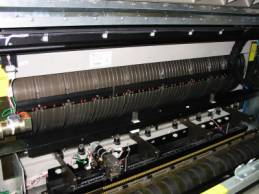
The first time a new plate is loaded, the tail gripper will move. The
second time the same size plate is loaded, it should not move. When the test is completed, be sure that the actual plate size is chosen again in the OnLine Cassette window. |
 |