

Home | Contact Us | Submit Troubleshooting Info | Search | Help
Output | Software Solutions | Proofing | Color, Screening and Calibration | Scanning | Digital Photography | Consumables | POS
Home | Contact Us | Submit Troubleshooting Info | Search | Help
Output | Software Solutions | Proofing | Color, Screening and Calibration | Scanning | Digital Photography | Consumables | POS
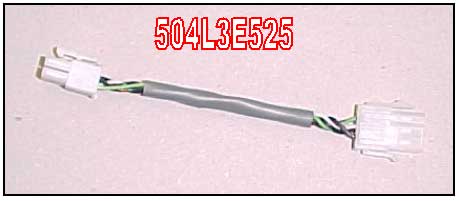
The punch direction inverter cable (part number 504L3E525) is only for Local3
platesetters. The cable prevents having to disassemble punches when the plate
is jammed in the punch. This can happen due to plates double loading.
The punch rod may not release itself from the plates and an error message:
"Punch motor didn't end ……" or "Plate
stuck in punch.." will appear.
Up until now, the only way to release the jammed plate(s) was to disassemble
the punch from the IU, with the jammed plates in place.
To prevent having to disassemble the punch, an adaptor cable has been designed.
When the cable is connected, the rotational direction of the punch motor is
reversed. This elevates the punch pin from the plates allowing them to be
cleared.
Plate release procedure
Go back to working status