

Home | Contact Us | Submit Troubleshooting Info | Search | Help
Output | Software Solutions | Proofing | Color, Screening and Calibration | Scanning | Digital Photography | Consumables | POS
Home | Contact Us | Submit Troubleshooting Info | Search | Help
Output | Software Solutions | Proofing | Color, Screening and Calibration | Scanning | Digital Photography | Consumables | POS
To configure punches after they are installed:
Choose one punch at a time to configure.
In this example, punch # 1 is configured.
From the GUI:
Hardware/Others/Lotem800V/+IO OBJECTS/+Punch Motor #1
Change the Open status to 1
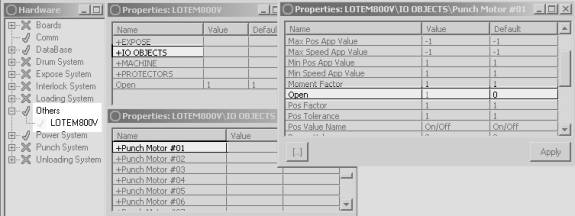
Ensure that the Height Pos (mm) value is 500 and that the Width Pos (mm) value is 45
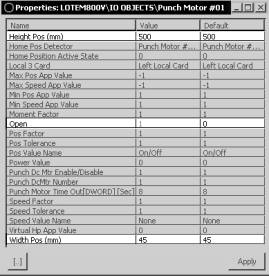
Click Apply
Now change the Open status of the punch Home Position Detector
to 1
Hardware/Others/Lotem800V/+IO OBJECTS/+Punch Motor #1 Home Pos. Detector
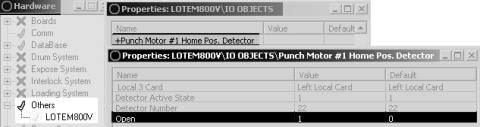
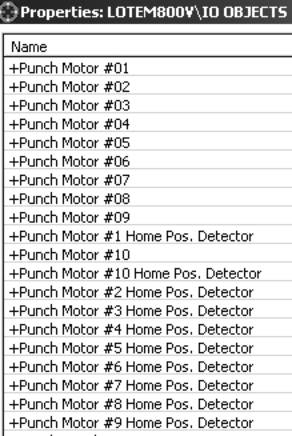
Repeat the process for each punch you install. Don't forget to change the status
of both the Punch motor and the Punch Motor Home Detector.
To define a punch system configuration set:
| From the Hardware menu select Database and then Punch to mark all punches installed. From the Punch menu select New | 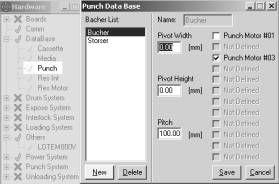 |
|
Select any combination of the previously defined punches (check each punch). These punches will now comprise a Punch configuration set. In the Name field type in the name you want for this configuration of punches, and then select Save (a typical name is the press name). |
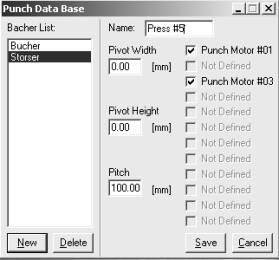 |
| Activating Punch Configuration System | |
| Open one of the punch motors in the new punch configuration set. Click Start to see that it works | 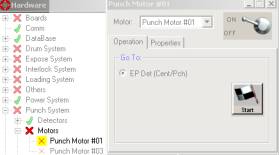 |
| Switch from one punch motor to the next punch motor in the configuration by clicking on the small arrow next to the punch motor name. Then click on the next name. | 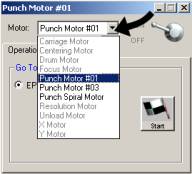 |
| Open each of the punch detectors in the new punch configuration set. | 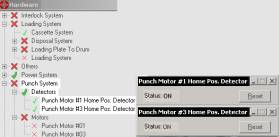 |
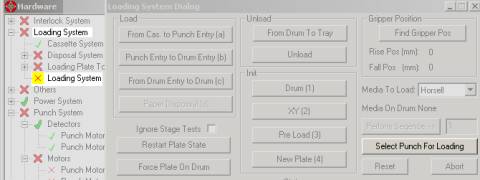
| To activate all the punches in any punch configuration, go to the loading system dialog: Utilities/Hardware/Loading System/Loading System and click Select Punch for Loading in the Loading System Dialog | |
 |
|
| The punch system window then appears.Select the punch set you previously established and click Do Punch. | 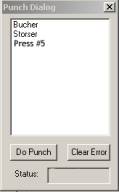 |
| Verify that the Punch Detector Status for each activated punch changes from ON to OFF. | 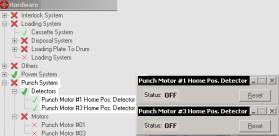 |
Testing: Expose a plate from the Brisque and verify that all the punches were activated .