

Home | Contact Us | Submit Troubleshooting Info | Search | Help
Output | Software Solutions | Proofing | Color, Screening and Calibration | Scanning | Digital Photography | Consumables | POS
Home | Contact Us | Submit Troubleshooting Info | Search | Help
Output | Software Solutions | Proofing | Color, Screening and Calibration | Scanning | Digital Photography | Consumables | POS
|
Select Start/ Programs/ Windows Explorer from the pop-up menu. |
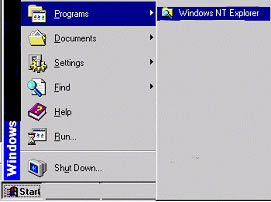 |
| Select Drive (C:) ,folder Lotem800/ Database (database highlighted). | 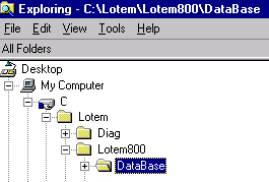 |
| From the menu select Edit and Copy | 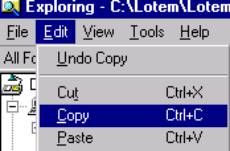 |
| Select Floppy diskette (A:) Edit and Paste the database folder to the floppy diskette. | 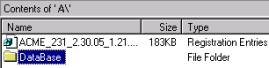 |
| Select file and Close | |
| Remove the diskette from the floppy drive |