

Home | Contact Us | Submit Troubleshooting Info | Search | Help
Output | Software Solutions | Proofing | Color, Screening and Calibration | Scanning | Digital Photography | Consumables | POS
Home | Contact Us | Submit Troubleshooting Info | Search | Help
Output | Software Solutions | Proofing | Color, Screening and Calibration | Scanning | Digital Photography | Consumables | POS
|
Power on the Lotem800V. |
 |
| Open the right hand side door of the Lotem800V | 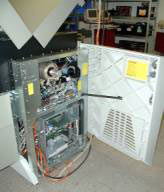 |
| Insert formatted write enabled floppy diskette into the floppy drive. |  |
| From the PC select Start and then select Run from the pop-up menu |  |
| Type regedit in the text box and select OK | 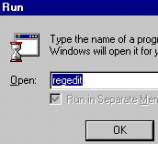 |
|
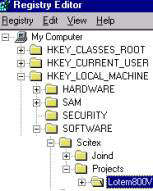
Select HKEY_LOCAL_ MACHINE, SOFTWARE, Scitex, Projects, LOTEM800V. Make sure that Lotem800V is highlighted. |
 |
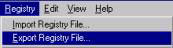
| Select Registry from the main menu. Select Export Registry File |
 |
|
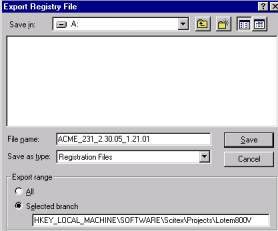
Select the Floppy diskette (A:) from the Save in drop-down list. Type a logical file name (follow the naming convention) in the File Name field and click Save. |
 |
Naming Convention |
|
 |
|
| Select Registry from the main menu.Select Exit. | 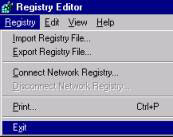 |
Leave the diskette inside the Floppy drive and proceed to save the database.