Home | Contact Us | Submit Troubleshooting Info | Search | Help


    Output | Software Solutions | Proofing | Color, Screening and Calibration | Scanning | Digital Photography | Consumables | POS


Diagnosing drum runaway problems on Lotem 800 II platesetters


Product


Kodak® Lotem® 800 II platesetters


Component


Drum


Symptoms

 
  • Drum run away
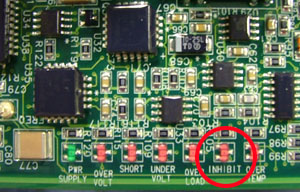
  • INHIBIT LED on the drum driver is not red during start-up.


Cause

 
  • Possible short circuit between the turbo master control electronics (TMCE) board pin 12 and the distribution board J1 pin 2
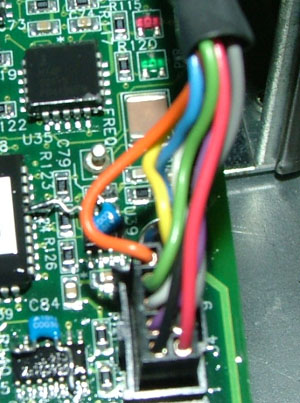
  • Possible short circuit between the distribution J3 pin 10 (orange wire) and the drum driver J4 connector (orange wire)

Solution

 
  1. Shut down the platesetter and the Kodak Lotem Controller software.
  2. Open the lower-rear service panel and the distribution box.
  3. Restart the platesetter, but do not start the Lotem Controller software.
  4. Use a digital voltmeter and check that there is a continuous circuit between the following components:
    • TMCE board pin 12 and the distribution board J1 pin 2
    • Distribution J3 pin 10 and the drum driver J4 connector


    If required, replace the drum driver.

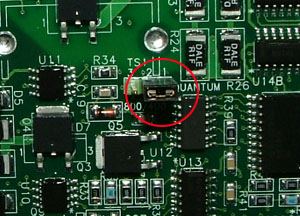
  5. Make sure the distribution board jumper is connected to pin 1 and pin 2.


    If required, replace the defective jumper.


Technical contact(s)
 

Alon Davidor

Submitted by
 

Alon Davidor

Date submitted
 

09 Jan 2007


    Copyright © 2005 Creo Inc. All rights reserved. Confidential. Back to top.