Procedure
|
|
- In the Properties window under Machine, change the
value of the Min Media Thick (mm) parameter to 0.1.
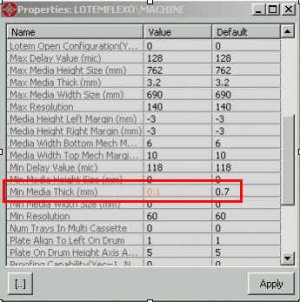
Figure 1
- In the Focus Motor window, change the value
of the Max Poss App Value parameter to 2700. This will
enable the focus motor to move almost to the end of its travel range.

Figure 2
- Release the focus lock located on the optic head base, as
shown in Figure 3.
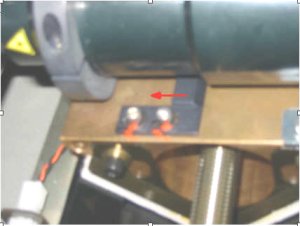
Figure 3
- Send the focus motor to max 2500 steps (approximately 2850
microns) and make sure that it has not reached the end of its travel
range, as shown in Figure 4.
Note: Since all steppers are not the same, make sure
the stepper does not reach the end of its range of travel when you send
the focus motor to 2500 steps.
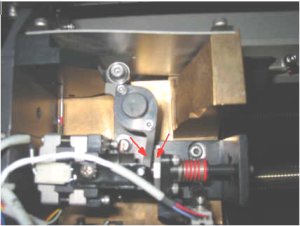
Figure 4
If the two parts indicated above in Figure 4 (arrows) touch each other,
you have passed the stepper's range of travel.
- Install the focus jig on the optic head and adjust the gauge
to zero, as shown in Figure 5.
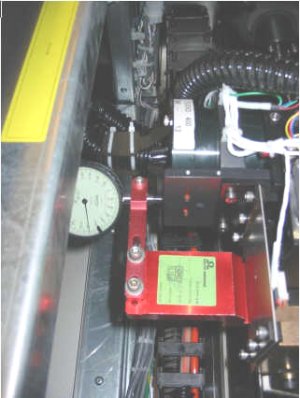
Figure 5
- Release the optic head screws and move the head approximately
700 microns forward.
Note: Make sure the distance from the drum nozzle is
500 microns (like the other plates).
- Run focus tests on the film.
- Run an intensity test on the film.
- Make sure the focus step for the film is not close to the end of its
travel range on the film. If you find the correct focus, but are too
close to the end of the range of travel, move the optic head again,
as needed.
- When you finish calibrating the film, repeat the focus test on all
plate thicknesses used by the customer.
- After you finish adjusting the focus, move the focus lock back so
the head does not exceed the end of its range of travel. To move the
focus lock back, do the following:
- Send the head 150 steps beyond the focus setting for the film.
- Move the focus lock until it touches the optic head and lock the
screws.
|

