Home | Contact Us | Submit Troubleshooting Info | Search | Help


    Output | Software Solutions | Proofing | Color, Screening and Calibration | Scanning | Digital Photography | Consumables | POS


Replacing the Loading Table Locker Spring and Bearing on ThermoFlex Mid II Platesetters


Product

  Kodak® ThermoFlex® Mid II platesetter

Background


To help ensure that the loading table locks into the open position and stays open during wide format plate loading, replace the spring (PN 363B10251) in the loading table bracket, and the bearing in the back stopper assembly. The replacement spring has higher tension than the previous spring, and the bearing is made of stronger material.

  • Spring (PN 318-00269)
  • Bearing (PN 500-01197A)

Procedure

 
  1. Open the right side door.
  2. Open the service door.
  3. On the upper rear panel, open the four hex screws and remove the panel.
    This step is necessary to enable access to one of the screws that secures the side operation panel.
  4. From the back of the platesetter, remove the hex screw on the back of the side operation panel.
  5. Remove the other five hex screws that secure the side operation panel.
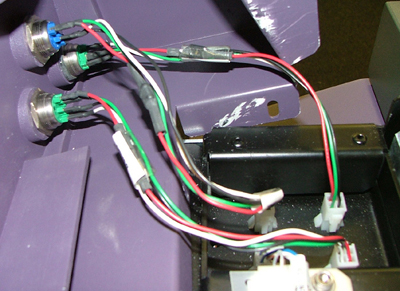
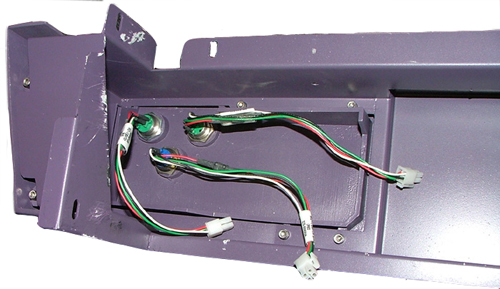
  6. The wiring connectors for the three buttons (load, unload, OK) are parallel to their positions on the panel. Disconnect the three button wiring connectors.
  7. Remove the side operation panel.
  8. Replace the spring, shown following.
  9. Remove the bearing:
    1. Remove the screw that secures the back stopper.
    2. Remove the bearing and insert the new bearing.
    3. Insert and tighten the back stopper screw.
  10. Install the right side operation panel that you removed, and connect the button wiring connectors.
  11. Insert and tighten the right side operation panel screws.
  12. Install the upper rear panel.
  13. Close all doors and panels.
  14. Connect the main power supply.

Test

 
  1. Open and close the loading table. Confirm that it opens and closes smoothly, and that when it is open, it is firmly locked in place.
  2. Place a full size plate on the loading table and try to load this plate. When you open the loading table, make sure that it locks open. Then during loading, make sure that the loading table does not move together with the plate when the drum revolves in the loading direction.

Technical contact
 

Content owner: Viki Arviv
See the Escalation page for escalation contacts.

Date submitted
 

02 Apr 2007


    Copyright © 2005 Creo Inc. All rights reserved. Confidential. Back to top.