Home | Contact Us | Submit Troubleshooting Info | Search | Help
Output | Software Solutions | Proofing | Color, Screening and Calibration | Scanning | Digital Photography | Consumables | POS
Home | Contact Us | Submit Troubleshooting Info | Search | Help
Output | Software Solutions | Proofing | Color, Screening and Calibration | Scanning | Digital Photography | Consumables | POS
|
|
|||
Product |
|
||
|
|
|||
Symptoms |
|
||
|
|
|||
Cause |
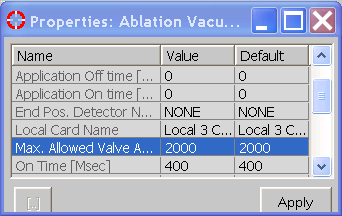
The vacuum-related task times out, because exposure takes longer than usual. |
||
|
|
|||
Solution |
|
||
|
|
|||
Technical contact(s) |
|||
Submitted by |
|||
Date submitted |
04 Aug 2004 |
||