Home | Contact Us | Submit Troubleshooting Info | Search | Help
Output | Software Solutions | Proofing | Color, Screening and Calibration | Scanning | Digital Photography | Consumables | POS
Home | Contact Us | Submit Troubleshooting Info | Search | Help
Output | Software Solutions | Proofing | Color, Screening and Calibration | Scanning | Digital Photography | Consumables | POS
Product |
|
||
Symptoms |
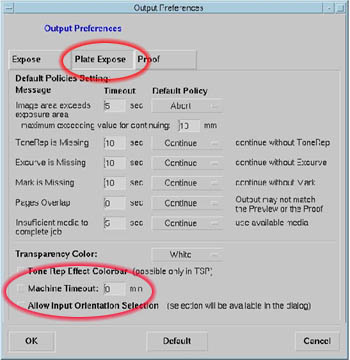
When sending a multi-layout job (i.e. job that requires more than one plate) and the Load/Unload options are selected in the Plate Expose dialog, the job aborts when confirmation is received that the first plate has been unloaded. |
||
Cause |
The Machine Timeout parameter has a default of value of 0 (zero) minutes. This value is too low and causes multi-layout jobs to abort. |
||
Solution |
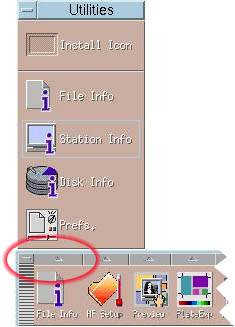
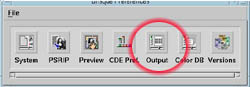
Amend the default value of the Machine Timeout parameter:
|
||
Technical contact(s) |
|||
Submitted by |
|||
Date submitted |
24 Dec 2003 |
||