Procedure |
|
- While ThermoFlex Controller is running, write down the following,
in case you need to reload the image CD:
- If the version and updated registry are not available, save the registry
and database settings on a floppy diskette, as follows:
- Turn on the platesetter.
- Start the Controller application.
- Manually open the right side door of the platesetter.
- Insert a formatted write-enabled diskette into the disc drive.
- Save the registry file to the diskette:
In Regedit, locate HKEY_LOCAL_MACHINE\ SOFTWARE\ Scitex\ Projects
\ LOTEMFLEXO\ MACHINE and select Registry > Export Registry
File.
- Exit the registry.
- In Windows Explorer, on the C drive, locate the DataBase
folder.
- Copy the DataBase folder and save it to the diskette.
- Close Windows Explorer and remove the diskette from the disc
drive.
- Exit any applications.
- On the platesetter, insert the version CD into the
CD-ROM drive.
- At the warning to close all other windows, click Next.
- At the Welcome - ThermoFlex Setup dialog box, click Next.
- In Customer Information, type the relevant information in the following
fields:
- User Name
- Company Name
- Serial Number
- In the Lotem Flexo Machine Type Selection dialog box, select the relevant
Lotem ThermoFlex machine type and click Next.
- 2630 Version—all Narrow devices, including offset
- 4045 Version—all Mid 4045 devices
- 4048 Version—all Mid 4048 devices
- Mid II Version—all Mid II devices, including magnetic
drum option

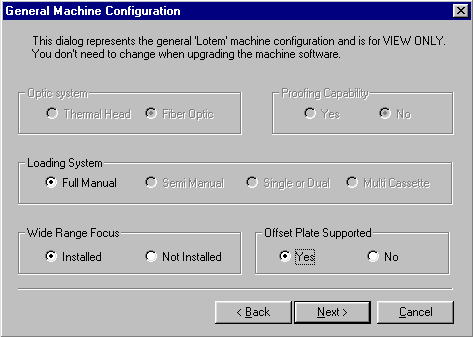
- In the General Machine Configuration dialog box, in the Wide Range
Focus section, select Installed and click Next.

Note: If your software version is 1.32.352.004, the General Machine
Configuration dialog box has an option to select Offset:
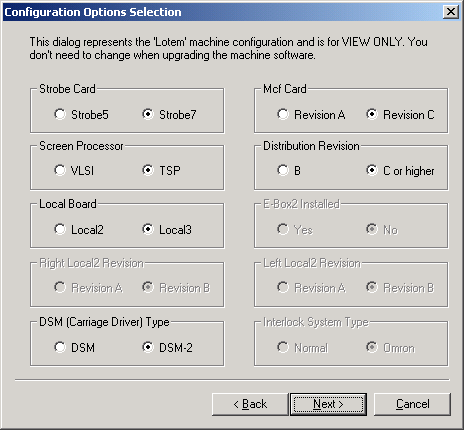
- In the Option Selection dialog box, select the option and click Next.
- In the Start Copying Files prompt,
click Next.
The version loads.
- In the Please Install Remote Support
message, click OK.
- To export logs, the database, or other information through remote
support, make the platesetter’s C drive shared.
- To access the remote support accessories, locate the Accessories
folder.
- If your ThermoFlex Controller Version is 1.31.350.002, load the Remote Support Tools as described in FCO 512-00141A
|

