Home | Contact Us | Submit Troubleshooting Info | Search | Help
Output | Software Solutions | Proofing | Color, Screening and Calibration | Scanning | Digital Photography | Consumables | POS
Home | Contact Us | Submit Troubleshooting Info | Search | Help
Output | Software Solutions | Proofing | Color, Screening and Calibration | Scanning | Digital Photography | Consumables | POS
|
|
|||
Product |
Magnus™ 400 |
||
|
|
|||
Component |
LDA power supply |
||
|
|
|||
Symptoms |
Bands appears on the image: |
||
|
|
|||
Cause |
The LDA head's external power supply is not calibrated to the nominal value. |
||
|
|
|||
Solution |
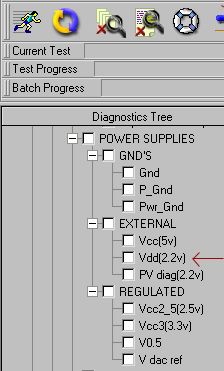
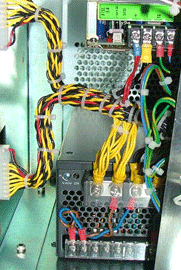
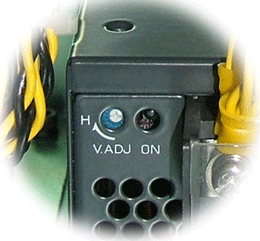
Calibrate the LDA head's external VDD (2.2v) power supply voltage on the board relevant to your Magnus Controller software version:
Note: When any platesetter door is open, you cannot access diagnostics,
so you must perform the adjustment by trial and error. After each adjustment,
close the panel and doors and check the diagnostics dialog box on the
monitor to determine if the value is within the correct range.
|
||
|
|
|||
Technical contact(s) |
|||
Submitted by |
|||
Date submitted |
16 Jan 2006 |
||