Home | Contact Us | Submit Troubleshooting Info | Search | Help
Output | Software Solutions | Proofing | Color, Screening and Calibration | Scanning | Digital Photography | Consumables | POS
Home | Contact Us | Submit Troubleshooting Info | Search | Help
Output | Software Solutions | Proofing | Color, Screening and Calibration | Scanning | Digital Photography | Consumables | POS
Product |
Kodak® Magnus™ 400 family with MCU |
||
Component |
Paper disposal rollers |
||
Symptoms |
Slip sheets get stuck in the paper disposal bin. |
||
Cause |
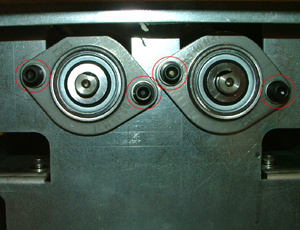
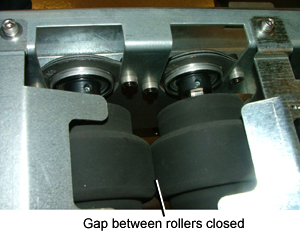
The gap between the disposal rollers is too large (2-3 mm) on one side. |
||
Solution |
|
||
Technical contact(s) |
|||
Submitted by |
|||
Date submitted |
28 May 2008 |
||