Home | Contact Us | Submit Troubleshooting Info | Search | Help
Output | Software Solutions | Proofing | Color, Screening and Calibration | Scanning | Digital Photography | Consumables | POS
Home | Contact Us | Submit Troubleshooting Info | Search | Help
Output | Software Solutions | Proofing | Color, Screening and Calibration | Scanning | Digital Photography | Consumables | POS
Product |
Magnus 800 autoloader |
||
Background |
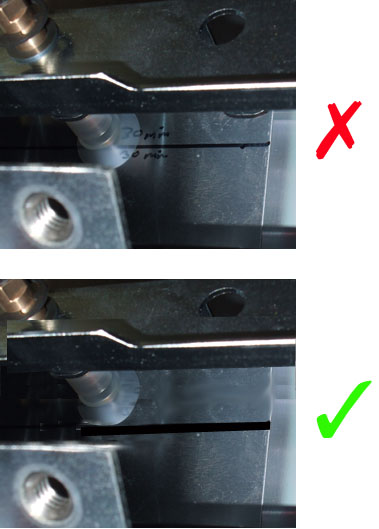
This procedure describes how to determine whether the plate picker is correctly positioned on a Magnus 800 autoloader. In order for the plate picker to be correctly positioned, the plate picker bar must be parallel to the paper picker frame, and the plate picker suction cups must touch a plate 30 mm from the edge of the plate. You must check the plate picker’s position when you replace a gear box, or if problems occur during plate loading process. |
||
Requirements |
Jig (690-00772A) |
||
Procedure |
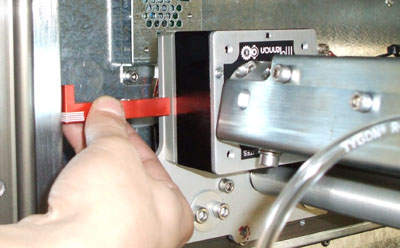
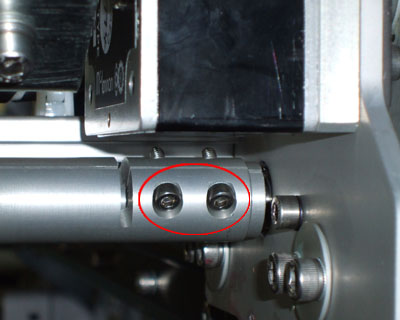
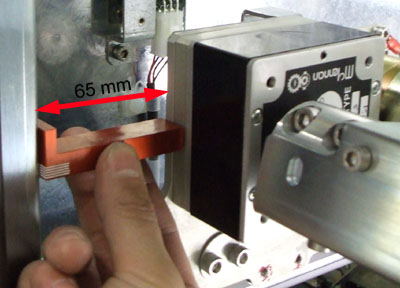
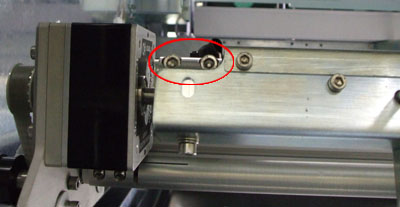
Confirm that the plate picker bar is parallel to the paper picker frame This procedure describes how to confirm that the two gear boxes on the plate picker arm are parallel with each other and that they are exactly 65 mm from the paper picker frame. Perform this procedure on one gear box, and then repeat the procedure on the second gear box.
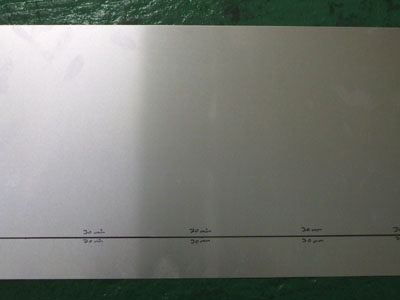
Important: If the two gear boxes are correctly positioned (65 mm from the paper picker frame), the suction cups should be exactly 30 mm from the edge of the plate. Confirm that the plate picker suction cups are 30 mm from the edge of the plate This procedure describes how to confirm that the suction cups are 30 mm from the edge of the plate.
|
||
See also |
Optimizing the Magnus 800 autoloader plate picker sequence parameters |
||
Technical contact(s) |
Content owner: Yaron Shifman |
||
Date submitted |
20 Apr 2006 |
||