Home | Contact Us | Submit Troubleshooting Info | Search | Help
Output | Software Solutions | Proofing | Color, Screening and Calibration | Scanning | Digital Photography | Consumables | POS
Home | Contact Us | Submit Troubleshooting Info | Search | Help
Output | Software Solutions | Proofing | Color, Screening and Calibration | Scanning | Digital Photography | Consumables | POS
Product |
|
|
Kodak® Magnus™ 800 multi-cassette unit encoder |
|
Background |
|
|
This procedure describes how to replace an encoder on a a Magnus 800 multi-cassette unit (MCU). |
|
Procedure |
|
|
Prepare the MCU
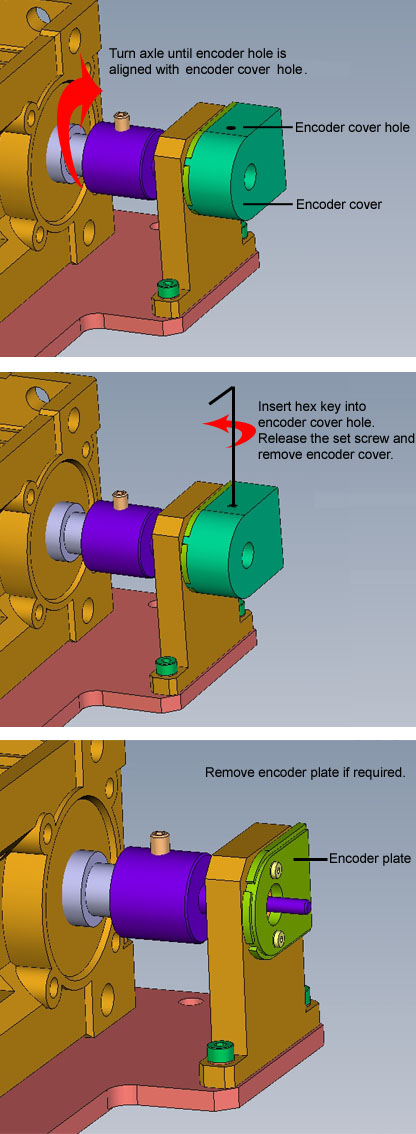
Remove existing encoder
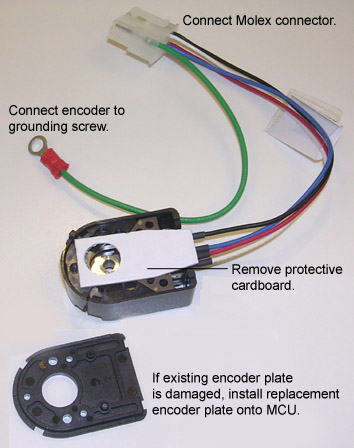
Install replacement encoder
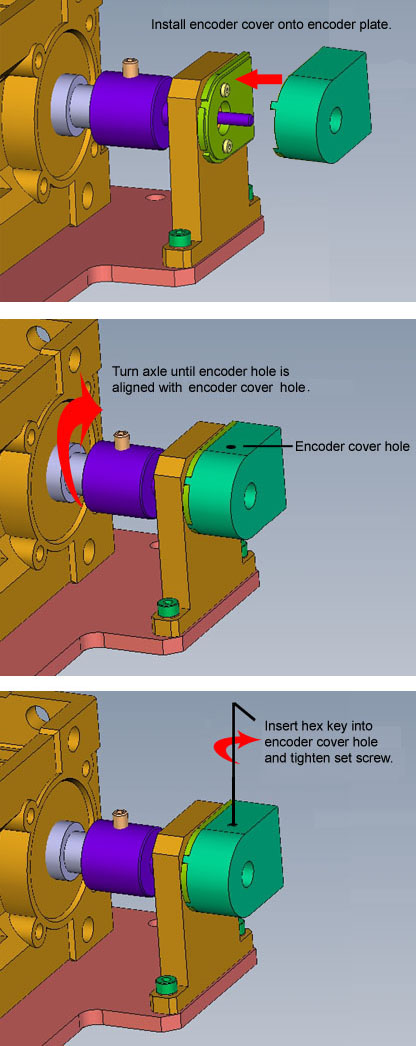
Secure replacement encoder to MCU
|
|
Technical contact |
Content owner: Meir Dana |
|
Date submitted |
10 Jun 2008 |