

Home | Contact Us | Submit Troubleshooting Info | Search | Help
Output | Software Solutions | Proofing | Color, Screening and Calibration | Scanning | Digital Photography | Consumables | POS
Home | Contact Us | Submit Troubleshooting Info | Search | Help
Output | Software Solutions | Proofing | Color, Screening and Calibration | Scanning | Digital Photography | Consumables | POS
The simulator creates two fake NVS files - one for BBRAM (STGBBRAM.BIN) and one for Flash (STGFLSH.BIN). These files are located in the directory where the simulator is run from. If these files do not match the simulator product and version, you will get an invalid parameter range error or a storage key size invalid error. For example:
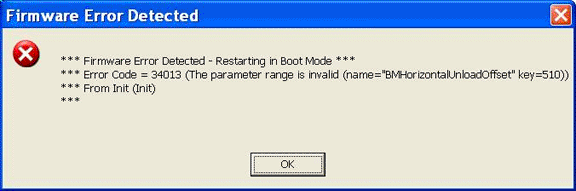
If you get one of these errors then delete the STG*.bin files. This will erase the NVS used by the simulator. With the STG*.bin files deleted, the simulator will run, but will not have any of the stored data values (for example, the media settings and device configurations will be gone). If you run many different simulators, keep them each in a separate folder and run them from there. That way the STG*.bin files will not conflict with different simulator versions.