| Solution |
Secure the cable track to the unload pan as
follows:
- Table down.
- Move the rotator to the home position.
- Remove the top panel covering the cable track - 2 screws, 1 on each end
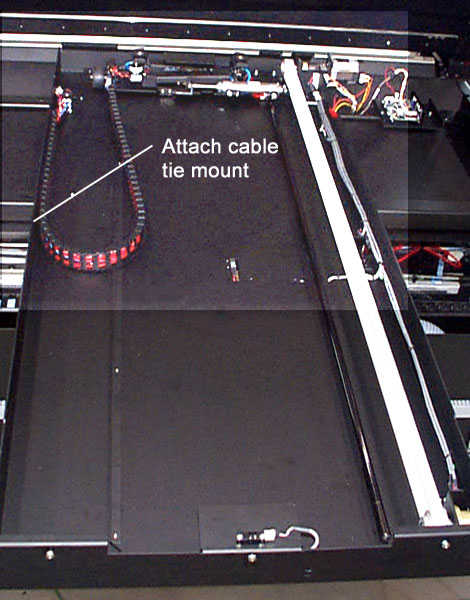
- Mark the position where the cable track starts to curve away from the side of the unload
pan. See photo.
- Either attach a cable-tie-adhesive mount (#18-3061) to the side of the unload pan or
drill two holes large enough to pass a cable tie through.
- Tie the cable track to the side of the unload pan.
- Test by moving the rotator away and home a few times - check for interference and stress
on the cable track.
- Replace the top panel and tighten screws.
|