Home | Contact Us | Submit Troubleshooting Info | Search | Help
Output | Software Solutions | Proofing | Color, Screening and Calibration | Scanning | Digital Photography | Consumables | POS
Home | Contact Us | Submit Troubleshooting Info | Search | Help
Output | Software Solutions | Proofing | Color, Screening and Calibration | Scanning | Digital Photography | Consumables | POS
| Applies to | Trendsetter VLF Autoloader | Priority =Next PM
Reason = Safety Release date = Feb 2002 |
|
Machines affected |
Affects 23 machines up to and including BA053. | |
|---|---|---|
|
Component |
|
|
| Problem | Additional safety features required | |
| Solution(s) | Install new safety panels from kit 05-0190. | |
| Parts needed | Kit 05-0190 | |
| Tools needed | n/a | |
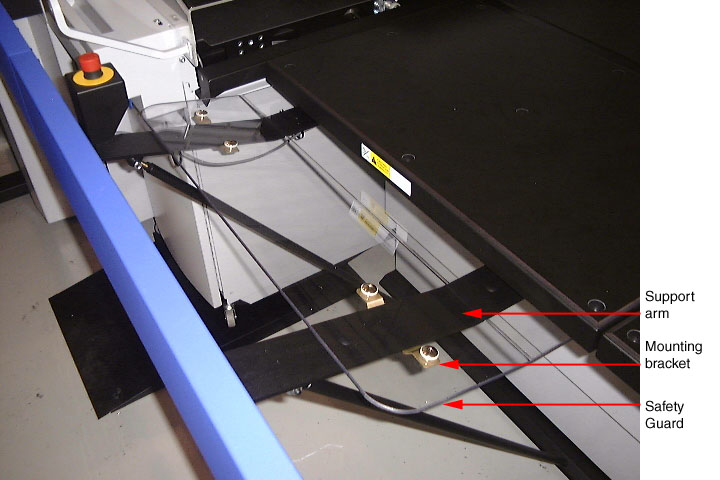
| Procedure | There are two
guards that cover the openings between the table and guard rails -
one on each side of the guard rail gate. To install the front
guards:
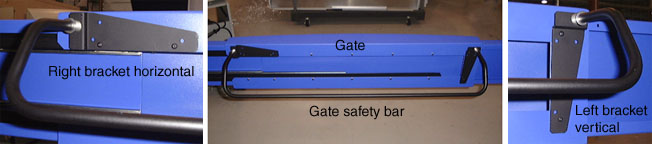
The gate safety bar mounts to the back of the guard rail gate with the bend pointing downwards. To install the gate safety bar:
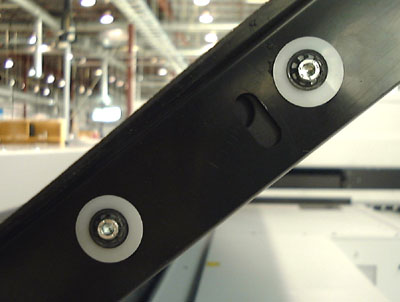
The plastic table finger guard is installed on the side of the table on the conveyor side only. If it is not already installed:
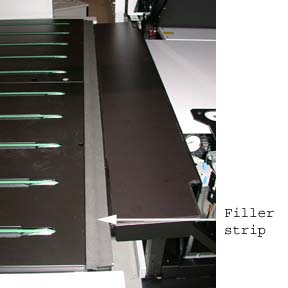
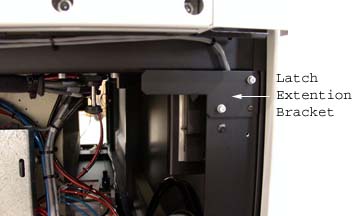
Install the Straight conveyor filler strip (57-8635A) onto the S-conveyor between the connection plate and the conveyor deck. Install the latch extension (57-8894A) onto the Trendsetter side
panel (cassette side only).
|
|
| Technical contact | Angus Gillon | |