Home | Contact Us | Submit Troubleshooting Info | Search | Help


    Output | Software Solutions | Proofing | Color, Screening and Calibration | Scanning | Digital Photography | Consumables | POS


Checking the coolant pump (TH2 head on a Lotem 800 Quantum)


Product

 
  • Thermal 2 head
  • Lotem 800 Quantum

Background


Use this procedure when troubleshooting temperature or coolant failure problems. Refer to the related troubleshooting item for details.


Required Parts and Tools


Coolant draining kit: 50-2465A BOM


Procedure


 Click to expand/collapse all sections of this page... Expand/collapse all sections

Note: Click on the triangle icon above to expand or collapse all sections.
Before printing this page, either use this “expand all” feature, or expand only the sections for which you want to print more detail.

  1. Move the head to the middle of the carriage. Use the command Quantum> carriage moveto 500
  2. Open the rear panel and turn off the device.
  3. Remove the unloading tray.
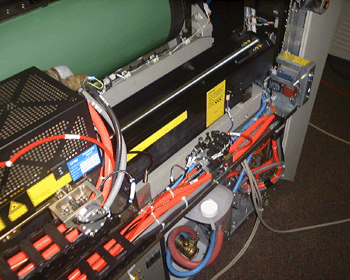
  4. Remove the required panels to have access as shown:
    View picture

  5. Check that the level of coolant is correct.
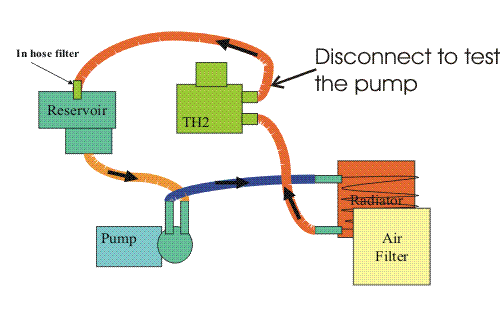
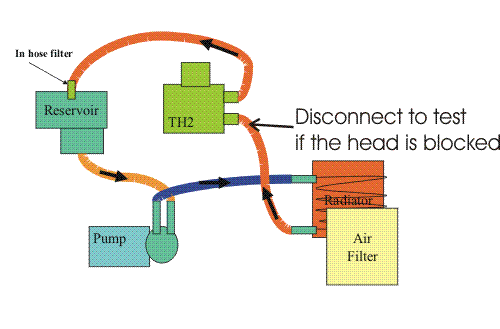
  6. Identify the hose that connects the reservoir to the head.
    Details...

    This is easier to do from the reservoir side.


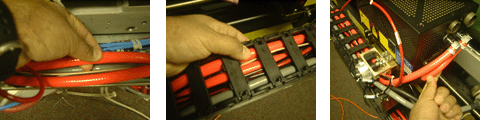
  7. Follow that hose to the track. Follow it along the track to the head.
    Details...

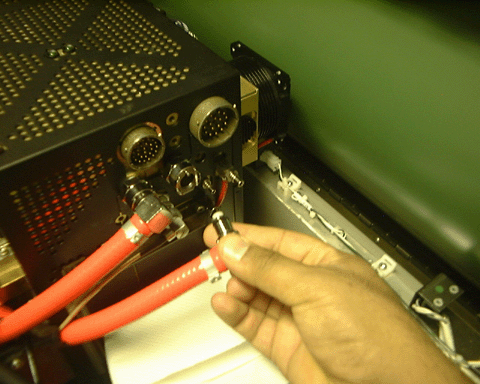
  8. Once you have identified the hose coming from the reservoir, disconnect it from the head.
    Details...

    Caution: Make sure that you disconnect the correct hose.

    This is an example. The hose may be connected to either of the two connectors.

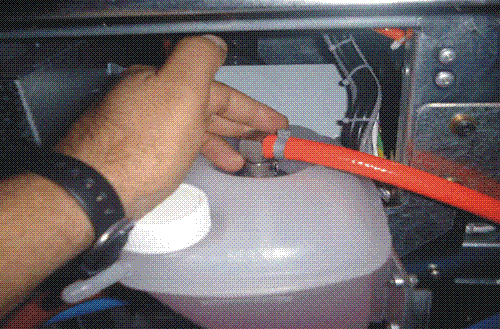
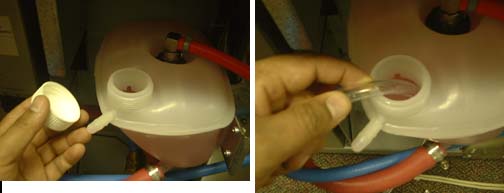
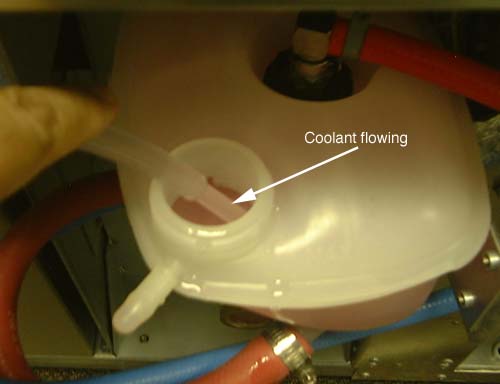
  9. Open the reservoir and insert the open end of the draining hose (PN 56-3459, from the draining kit).
    Details...

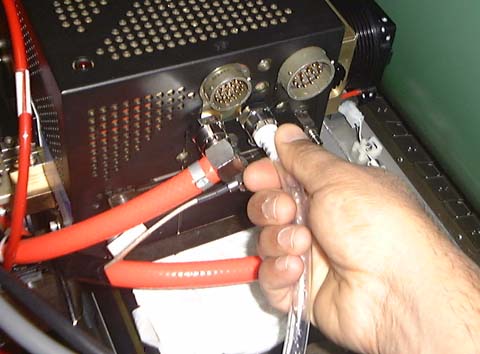
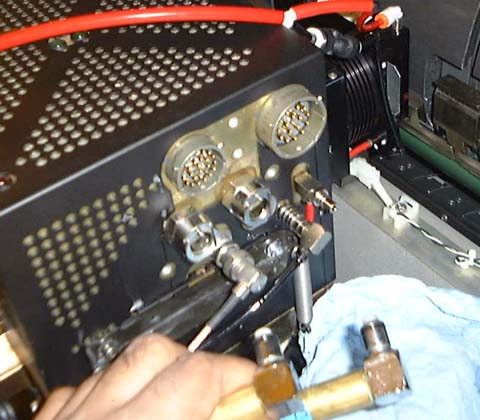
  10. Attach the other end of the draining hose (PN 56-3459) to the head:
    Note: To more easily access the head, you may disconnect the power or communication cables.
    Details...

  11. Hold the hose in the reservoir and turn on the device. Coolant will begin to circulate through the head and out the hose.
    Warning: You must hold the hose down in the reservoir to prevent any coolant from spilling.

    CAUTION: Avoid getting coolant on your eyes, skin, or clothing. Avoid breathing vapor. Handle in an area with adequate ventilation. Wash thoroughly after handling. Do not drink the coolant solution. Accidental poisoning can cause central nervous system, cardiopulmonary, and kidney effects.

    Details...

Analysis


If the pump is working correctly you should see the coolant circulating from the head to the reservoir.
Details...

If the coolant does not circulate, the pump has failed.

NOTE: If you disconnected the wrong hose from the head, and attached the draining hose to the wrong connector, it will appear that the pump has failed. Before you diagnose a pump failure, double-check that you disconnected the correct hose.


On TH2 heads with a serial number of 300 or lower, there may be an obstruction inside the head. This can be caused by electrolysis on the aluminum cold plate.
To determine if there is a blockage in the head, use the following procedure:

Note: We recommend that you wear protective vinyl or rubber gloves for this procedure.

  1. Turn off the device.
  2. Unplug the clear draining hose from the head. Unplug the other coolant hose from the head (this is the hose coming from the pump).
    Details...


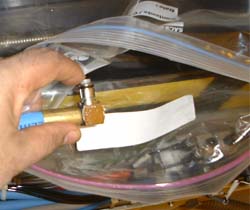
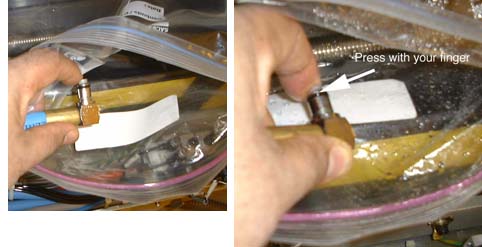
  3. Insert the disconnected end of the other coolant hose into a closed container or leak-free plastic bag.
    Details...

  4. Turn on the device.
    Warning: This will turn on the pump.
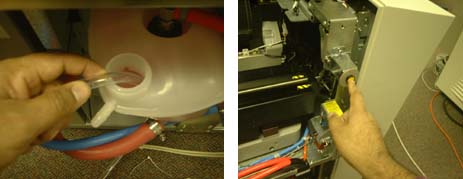
  5. While pointing the end of the hose firmly in the container, press the plug release valve as shown.
    CAUTION: The coolant will spray into the container or bag. If you come into contact with any coolant, wash immediately

    Details...

Analysis

 
  • If the coolant sprays out, and the hose is under pressure, that means the TH2 head is plugged.
  • For more details contact your PSS.

See also


Troubleshooting Th2 temperature or coolant failure problems


Technical contact(s)
 

Content owner: Doug Jeffery
See the Escalation page for escalation contacts.

Date submitted
 

10 Nov 2003


    Copyright © 2005 Creo Inc. All rights reserved. Confidential. Back to top.