Home | Contact Us | Submit Troubleshooting Info | Search | Help
Output | Software Solutions | Proofing | Color, Screening and Calibration | Scanning | Digital Photography | Consumables | POS
Home | Contact Us | Submit Troubleshooting Info | Search | Help
Output | Software Solutions | Proofing | Color, Screening and Calibration | Scanning | Digital Photography | Consumables | POS
Product |
All heads |
|||||
Symptoms |
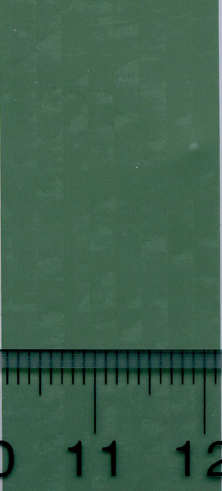
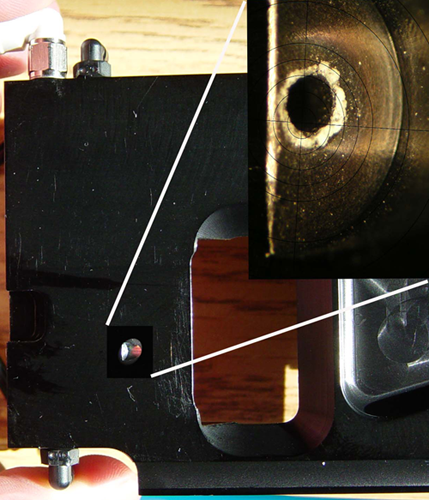
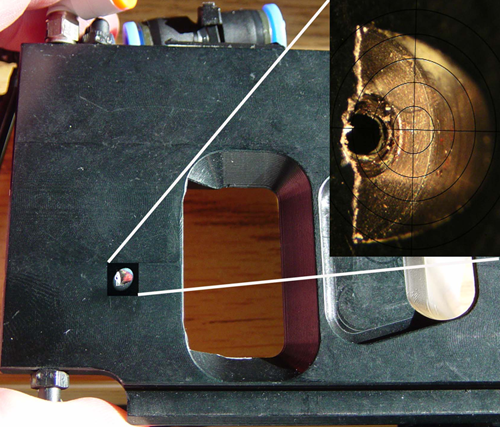
Swath-bound clouds or blotches and/or tick marks appear on a plate. It can be described at first glance as banding or blotchy solids. It is most visible on output devices running at high speeds and with high power, and it is most visible in solids and at higher power. The sample images show a Kodak Thermal Gold™ thermal plate imaged on a Kodak Lotem® 800 Quantum™ V-speed platestter with a 2400 dpi thermal 2.5 head. The view is across the drum, from left to right.
|
|||||
Causes |
The plate is giving off more ablation than the debris and imaging system can function with. This is currently (February 2007) being experienced with Thermal Gold plates on high throughput devices.
|
|||||
Solution |
|
|||||
Technical contact(s) |
||||||
Submitted by |
||||||
Date submitted |
03 Nov 2006 |
|||||