Home | Contact Us | Submit Troubleshooting Info | Search | Help
Output | Software Solutions | Proofing | Color, Screening and Calibration | Scanning | Digital Photography | Consumables | POS
Home | Contact Us | Submit Troubleshooting Info | Search | Help
Output | Software Solutions | Proofing | Color, Screening and Calibration | Scanning | Digital Photography | Consumables | POS
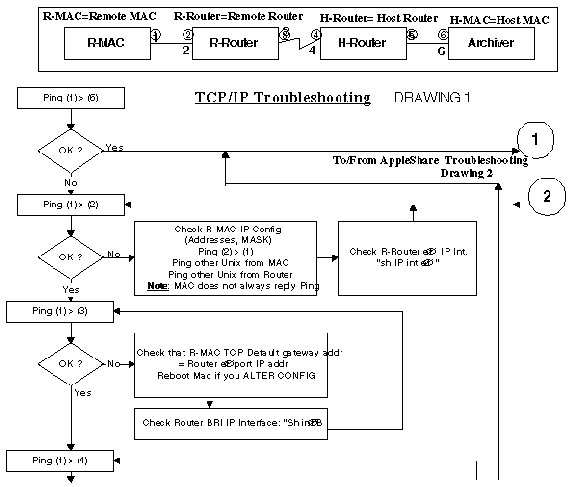
If you have encountered problems when adding a static route:
Note: The Flush routine deletes the default gateway address. Make sure to reenter the default gateway address using smit tcpip and the Minimum Configuration item.