Home | Contact Us | Submit Troubleshooting Info | Search | Help
Output | Software Solutions | Proofing | Color, Screening and Calibration | Scanning | Digital Photography | Consumables | POS
Home | Contact Us | Submit Troubleshooting Info | Search | Help
Output | Software Solutions | Proofing | Color, Screening and Calibration | Scanning | Digital Photography | Consumables | POS
E30 Hardware Installation
Powering Up the Brisque
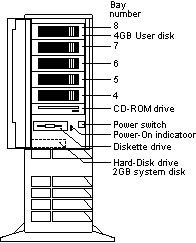
To power up the system:
 |
The system begins its normal start-up routine and is ready for initialization, configuration and setup. |
|
After being powered up the system goes through a series of initialization processes and self-tests. After a few minutes, a login screen appears: |