Home | Contact Us | Submit Troubleshooting Info | Search | Help
Output | Software Solutions | Proofing | Color, Screening and Calibration | Scanning | Digital Photography | Consumables | POS
Home | Contact Us | Submit Troubleshooting Info | Search | Help
Output | Software Solutions | Proofing | Color, Screening and Calibration | Scanning | Digital Photography | Consumables | POS
Product |
|
||
Platform |
All Brisque platforms |
||
Operating system |
IBM® AIX® 4.3.3, 5.2 |
||
Symptoms |
|
||
|
|
|||
Cause |
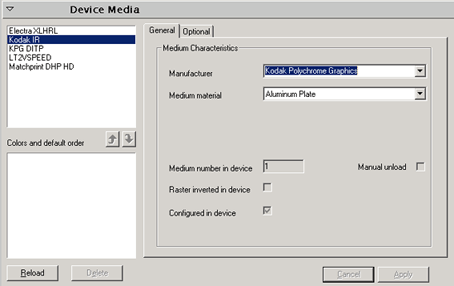
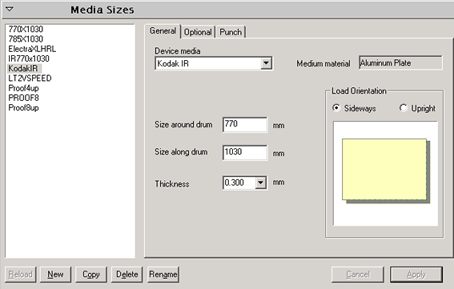
The plate set or media set parameters were not entered or were entered incorrectly in Print Console. The plate set or media set information is then not transferred to Brisque, and does not appear in the PlateExp parameters. |
||
Solution |
When you configure a Trendsetter platesetter or a Trendsetter Spectrum
platesetter in Print Console, make sure that all the parameters in the
Device Media window and Media Sizes window of Print Console are properly
selected (do not select Other) and do not remain empty. |
||
Technical contact(s) |
|||
Submitted by |
|||
Date submitted |
28 Nov 2006 |
||