

Home | Contact Us | Submit Troubleshooting Info | Search | Help
Output | Software Solutions | Proofing | Color, Screening and Calibration | Scanning | Digital Photography | Consumables | POS
Home | Contact Us | Submit Troubleshooting Info | Search | Help
Output | Software Solutions | Proofing | Color, Screening and Calibration | Scanning | Digital Photography | Consumables | POS
|
|
|||||||||||||||||||||||||||||
Product |
Brisque® Serve 4.0 | ||||||||||||||||||||||||||||
|
|
|||||||||||||||||||||||||||||
Procedure |
Software: MopUPS version 2.0Switch setting:
Loading MopUPS software:
Configuring MopUPS Setup: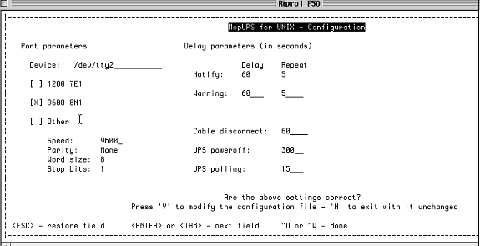 UPS information:
|
||||||||||||||||||||||||||||
|
|
|||||||||||||||||||||||||||||
Test |
Testing the communication:To verify that you are not in tcsh shell, type:cd /usr/lpp/mopupsThe following system message appears: Initializing serial port for communicating with the UPS:
This message indicates that the UPS is online and functioning properly. |
||||||||||||||||||||||||||||
|
|
|||||||||||||||||||||||||||||
Technical contact(s) |
|||||||||||||||||||||||||||||
Date submitted |
13 Jan 2004 |
||||||||||||||||||||||||||||