Home | Contact Us | Submit Troubleshooting Info | Search | Help
Output | Software Solutions | Proofing | Color, Screening and Calibration | Scanning | Digital Photography | Consumables | POS
Home | Contact Us | Submit Troubleshooting Info | Search | Help
Output | Software Solutions | Proofing | Color, Screening and Calibration | Scanning | Digital Photography | Consumables | POS
Product |
All versions of Kodak® Prinergy® Evo™ |
||
Symptoms |
The Process Template Editor takes a long time to start on remote workstations. The Prinergy Evo Server software fails to start, or is unstable. |
||
Cause |
This is caused by the binding order of network interface cards (NICs) on servers that have multiple connections. |
||
Solution |
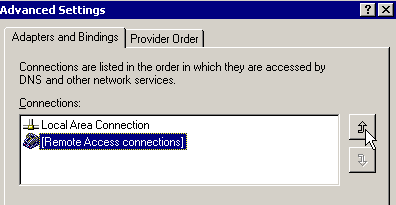
Adjust the list of connections so that the primary network interface used by Prinergy Evo is listed first.
|
||
Technical contact(s) |
|||
Submitted by |
|||
Date submitted |
21 December 2006 |
||