

Home | Contact Us | Submit Troubleshooting Info | Search | Help
Output | Software Solutions | Proofing | Color, Screening and Calibration | Scanning | Digital Photography | Consumables | POS
Home | Contact Us | Submit Troubleshooting Info | Search | Help
Output | Software Solutions | Proofing | Color, Screening and Calibration | Scanning | Digital Photography | Consumables | POS
Note: The Height/Width Start Image Area Adjustment and the calibration of the parallel spoilers is essential for correct expose results and the proper function of the edge detection system.
If you change any Media Definition parameters when a plate is on the
drum, the Const Conversion Thickness to Focus Motor parameter is updated
instead of the Focus parameters. To prevent this, before changing any
parameter in the Media definition dialog box, verify that the media is
not on the drum. This enables the Focus parameters to be automatically updated
in the Edge Detection dialog box after new media is loaded on the drum.
Before loading Update 2, if you have made any mechanical changes to the pins, spoilers, or encoders, recalibrate the width start image area (see Height/Width Start Image Area Adjustment).
 .
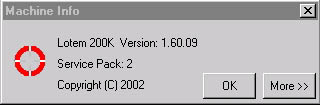
Select Utilities > Machine Info. If the following message appears, the update is installed correctly:
In the Media Definition dialog box, click the New button.
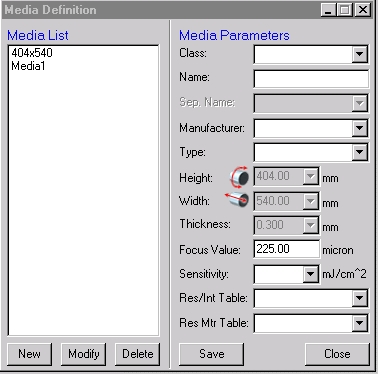
The plate size parameter are unavailable, and have the following fixed sizes:
Note: You can change any parameters, as required, except the plate size parameters.