Home | Contact Us | Submit Troubleshooting Info | Search | Help


    Output | Software Solutions | Proofing | Color, Screening and Calibration | Scanning | Digital Photography | Consumables | POS


Index drum home position adjustment (revised)


Product


Lotem® 800


Procedure


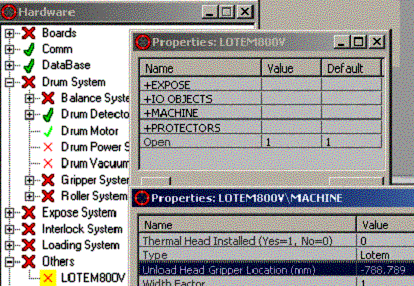
1. Find the Unload Head Gripper Position from the GUI

Utilities/Hardware/Others
Right click on X Lotem 800V
Left Double click on +Machine
Find Unload Head Gripper Location and see the Value

Write this number down including the + or -

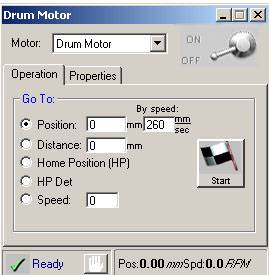
  1. Power off the drum motor via the drum motor window.


    Keep this window open

  2. Open the front door and the left side door (encoder side).
  3. Turn drum by hand until the head grippers are aligned with the unload gripper actuator. Keep the drum in this position.
  4. Switch the input and output air hoses going into the unload gripper actuator.
    If the air is on, this will engage the actuator onto the head grippers keeping the drum still for the rest of the procedure. By switching air hoses rather than turning the actuator on with the GUI, no strain is placed on the Drum driver and time-out errors are avoided.
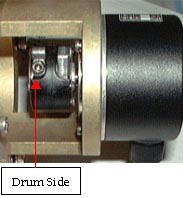
  5. Loosen the left screw (nearest the drum) of the two screws on the encoder coupling using a 3 mm Allen bit.


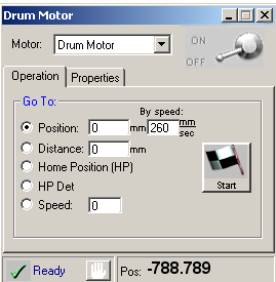
  6. Rotate the encoder until the drum motor position equals
    the Unload Head Gripper Location. Pay attention to whether the value is + or -.
    It must be the same as before.


  7. Tighten the left screw of the encoder coupling with a 3mm bit attached to a torque wrench. The torque should be set to 12 in/lb or 1.35 N/m. The part number for the bit is PN 395A10098.
  8. Replace the input and output air hoses going into the unload gripper actuator into their correct place. This will disengage the actuator and complete the procedure.

Technical contact(s)
 

Content owner: Itai Peperovich
See the Escalation page for escalation contacts.

Date submitted
 

25 Jul 2002


    Copyright © 2005 Creo Inc. All rights reserved. Confidential. Back to top.