Home | Contact Us | Submit Troubleshooting Info | Search | Help
Output | Software Solutions | Proofing | Color, Screening and Calibration | Scanning | Digital Photography | Consumables | POS
Home | Contact Us | Submit Troubleshooting Info | Search | Help
Output | Software Solutions | Proofing | Color, Screening and Calibration | Scanning | Digital Photography | Consumables | POS
Product |
|
||
Background |
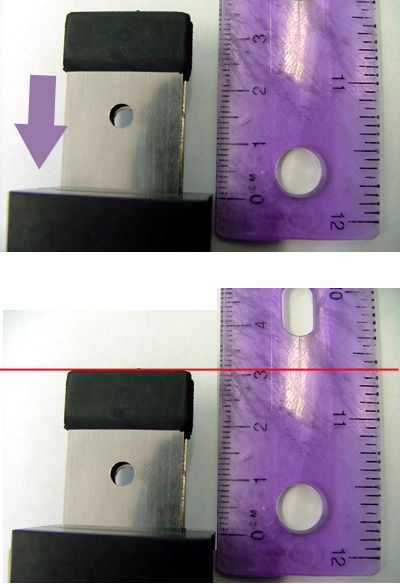
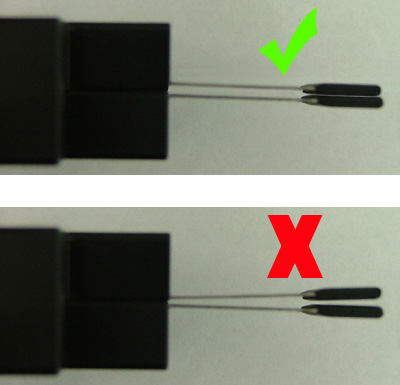
If the paper clamps repeatedly fail to dispose of the slip sheet and Kodak Lotem Controller generates a related error message, check to see if the paper clamps need to be replaced, as described below. |
||
Requirements |
Ruler |
||
Procedure |
|
||
Technical contact(s) |
Content owner: Alon Davidor |
||
Date submitted |
28 Nov 2006 |
||