Home | Contact Us | Submit Troubleshooting Info | Search | Help
Output | Software Solutions | Proofing | Color, Screening and Calibration | Scanning | Digital Photography | Consumables | POS
Home | Contact Us | Submit Troubleshooting Info | Search | Help
Output | Software Solutions | Proofing | Color, Screening and Calibration | Scanning | Digital Photography | Consumables | POS
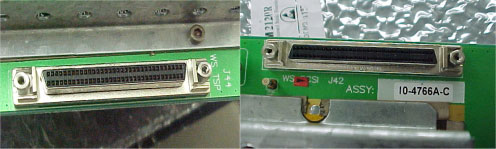
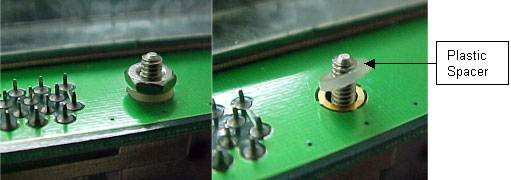
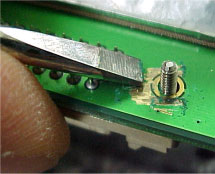
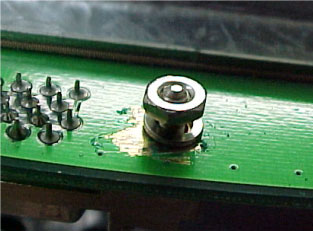
Some of the TMCEs left the manufacturing line with a nylon Spacer instead of a metal one. The grounding between the TMCE board and the TSP Cable is inferior with the nylon Spacer, which results in Error Message 5230. To prevent this from occurring, replace the nylon Spacer with a metal Spacer on all machines in the field.