Home | Contact Us | Submit Troubleshooting Info | Search | Help


    Output | Software Solutions | Proofing | Color, Screening and Calibration | Scanning | Digital Photography | Consumables | POS


How to backup and restore NVS parameters


Product


Kodak Lotem 800 II platesetters


Background


This procedure describes how to backup and restore NVS parameters.


Procedure


Backing up NVS parameters

  1. On the Desktop, double-click Service Shell Client.
  2. From the Tools pane, click Scripts.
  3. In the main window, expand the Device pane.
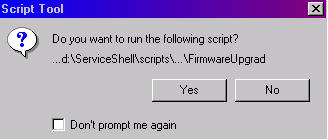
  4. From the Device list double-click FirmwareUpgrade. When the Script Tool dialog box appears, click Yes.


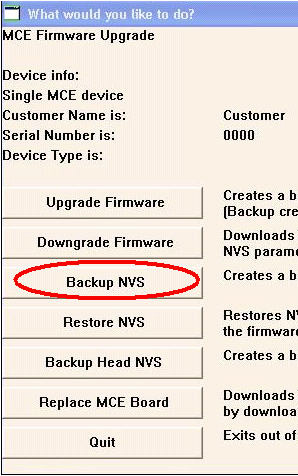
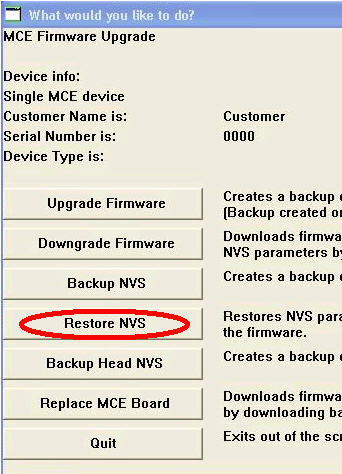
    The What would you like to do? dialog box appears.
  5. Click Backup NVS.


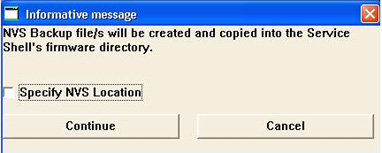
    The Informative message dialog box appears.
  6. Either specify a location to save the backed up NVS parameters, or alternatively click Continue to save the parameters in Service Shell’s default backup folder (C:\H2\tools\):


    Two files are backed up:
    1. remnvs.bin (RAM file)
    2. flsnvs.bin (Flash file)
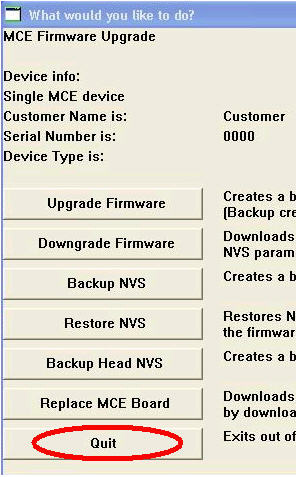
  7. Click Quit.


Restoring the last saved NVS parameters to Service Shell

    1. Repeat steps 1 to 4 (inclusive) of the previous procedure (Backing up NVS parameters).
    2. In the What would you like to do? dialog box, click Restore NVS.


    3. When prompted, select the NVS parameters you want to restore.
    4. When the NVS parameters have been restored, click Quit
    5. .

Technical contact(s)
 

Content owner: Alon Davidor
See the Escalation page for escalation contacts.

Date submitted
 

24 Oct 2006


    Copyright © 2005 Creo Inc. All rights reserved. Confidential. Back to top.