Home | Contact Us | Submit Troubleshooting Info | Search | Help
Output | Software Solutions | Proofing | Color, Screening and Calibration | Scanning | Digital Photography | Consumables | POS
Home | Contact Us | Submit Troubleshooting Info | Search | Help
Output | Software Solutions | Proofing | Color, Screening and Calibration | Scanning | Digital Photography | Consumables | POS
Product |
Kodak Lotem 800 II platesetter |
||
Background |
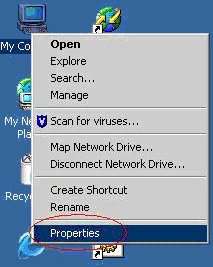
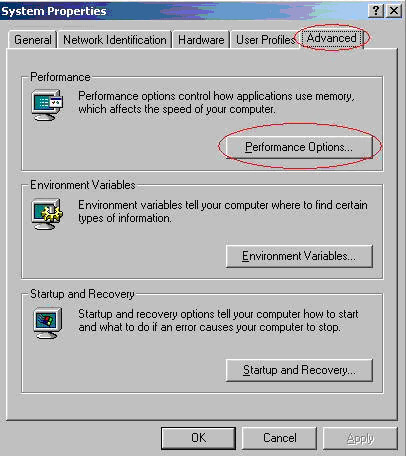
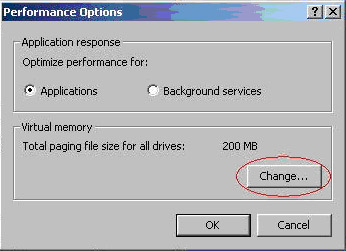
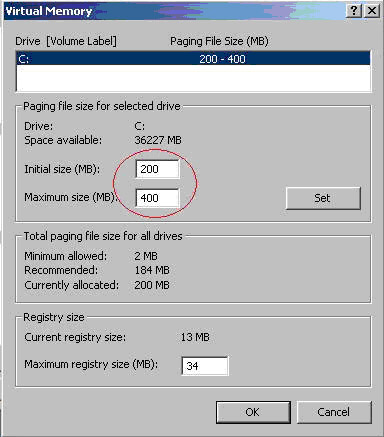
This procedure describes how to change the virtual memory settings on a Kodak Lotem computer. |
||
Procedure |
|
||
Technical contact(s) |
Content owner: Nir Peleg |
||
Date submitted |
09 Jul 2006 |
||