Home | Contact Us | Submit Troubleshooting Info | Search | Help


    Output | Software Solutions | Proofing | Color, Screening and Calibration | Scanning | Digital Photography | Consumables | POS


Preventing the “Motor interlock loop open” error message on Lotem 800 Quantum platesetters


Product


Kodak Lotem 800 Quantum


Error

 
  • Motor interlock loop open
  • Cassette is not installed properly

Symptoms

 
  • The exposure process prematurely stops
  • The platesetter cannot be operated correctly
  • When the Lotem 800 Quantum platesetter is idle, it intermittently enters into attention mode and generates the following error messages:
    • Motor interlock loop open
    • Cassette is not installed properly
    The platesetter then proceeds to reset itself and returns to ready mode.

Cause


When the motor interlock is closed, there should not be any current between the J14-pin 15 and the ground. The above symptoms are caused when the motor interlock is closed, but there is 2.5 V current running between the J14-pin 15 and the ground.


Solution


Individually perform each of the following steps, and then after each step check if the problem has been resolved.

  1. Make sure all the doors and panels are closed.
  2. Make sure the 24 V is stable and not experiencing troughs and peaks.
  3. Make sure the interlocks are correctly positioned.
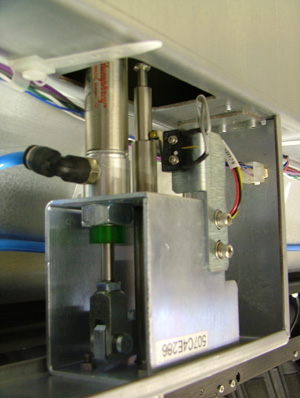
  4. Make sure the cassette locker valve switches are working correctly.


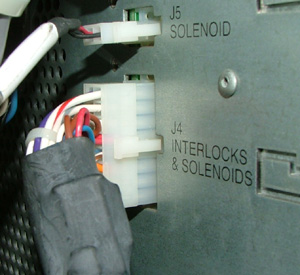
  5. Disconnect the J4 connector from the distribution board.


    • Make sure that none of the J4 pins are damaged.
    • Make sure that there is no voltage emitted from the J4-pin 15.
  6. If there is no voltage emitted from the J4 pin 15, then replace the interlock board and the distribution board.
    If there is a voltage emitted from the J4 pin 15, then replace the D-box.

Technical contact(s)
 

Alon Davidor

Submitted by
 

Alon Davidor

Date submitted
 

24 Aug 2006


    Copyright © 2005 Creo Inc. All rights reserved. Confidential. Back to top.