Home | Contact Us | Submit Troubleshooting Info | Search | Help
Output | Software Solutions | Proofing | Color, Screening and Calibration | Scanning | Digital Photography | Consumables | POS
Home | Contact Us | Submit Troubleshooting Info | Search | Help
Output | Software Solutions | Proofing | Color, Screening and Calibration | Scanning | Digital Photography | Consumables | POS
Product |
Lotem® 800 II Family |
||
Error |
|
||
Symptoms |
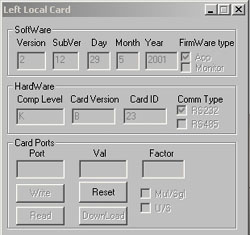
After upgrading to software v3.80, the Local3 board does not respond on startup. |
||
Cause |
During the software upgrade of Lotem Controller to version 3.80, the Local3Monitor (HEX file) is replaced. On subsequent startups, this may cause a problem with loading the Local3 board component. |
||
Solution |
|
||
Technical contact(s) |
|||
Submitted by |
|||
Date submitted |
06 Feb 2005 |
||