Home | Contact Us | Submit Troubleshooting Info | Search | Help
Output | Software Solutions | Proofing | Color, Screening and Calibration | Scanning | Digital Photography | Consumables | POS
Home | Contact Us | Submit Troubleshooting Info | Search | Help
Output | Software Solutions | Proofing | Color, Screening and Calibration | Scanning | Digital Photography | Consumables | POS
Product |
|
Either of the following devices whose serial number does not start with
the letters FM or FN, or do not have a 1-Watt diode:
|
|
Background |
|
|
There are currently two types of debris removal nozzles in the field. The earlier version does not support the UDRC sensor. This procedure describes how to replace the earlier debris removal nozzle with the debris removal nozzle assembly with anti-collision assembly included, which supports the UDRC sensor. |
|
Requirements |
|
|
Kit (part number 507-00203A) |
|
Procedure |
|
|
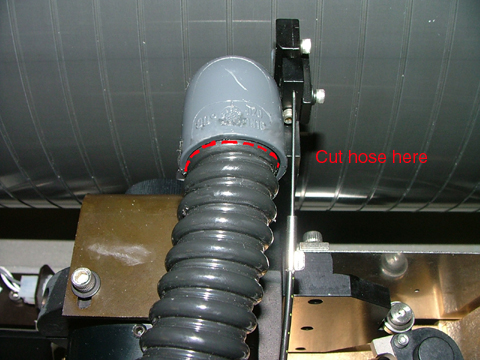
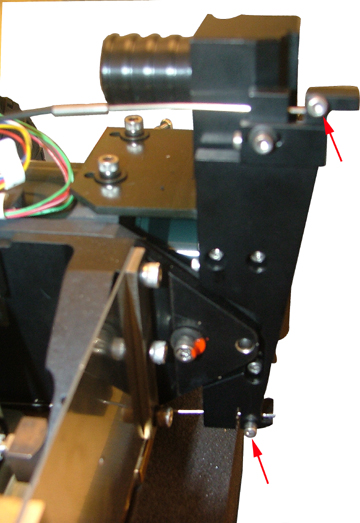
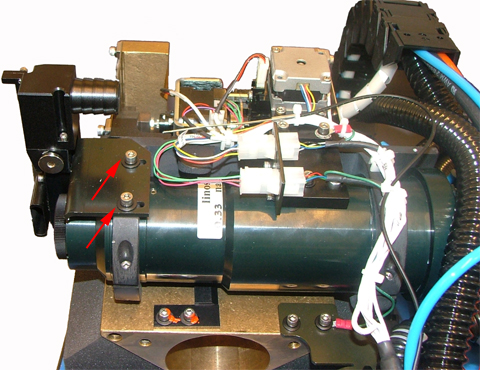
Uninstalling the nozzle assembly:
Installing the upgraded nozzle assembly:
Adjusting the nozzle and anti-collision detector: After you have installed the nozzle assembly, you must adjust the nozzle and anti-collision detector. See the Anti-collision detector adjustment procedure, which includes a link to the prerequisite nozzle adjustment procedure. |
|
Test |
|
|
Expose a job and verify good image quality. |
|
Technical contact |
Content owner: Viki Arviv |
|
Date submitted |
20 Dec 2007 |