Procedure |
|
Kodak Magnus 800 multi-directional unloading conveyor
Configuring the software
- Insert the Magnus 800 Version CD into the CD-ROM
drive.
- Wait for the Install Shield program to start, and
during the installation process configure the Magnus 800 Controller
software according to the customer’s requirements.
- Set the automation, orientation, number of cassettes, unloading
conveyor, connectivity option, and company name.
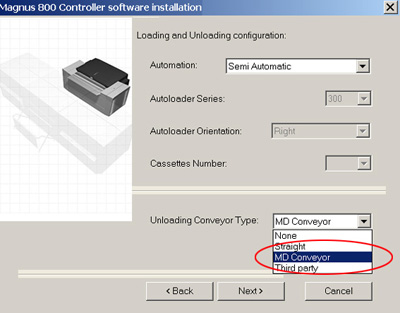
- Check the punch option, platesetter serial number, and if required,
the autoloader and multi-cassette unit serial numbers.
- Restart the Magnus 800 computer.
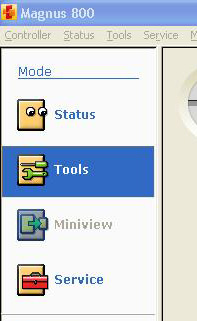
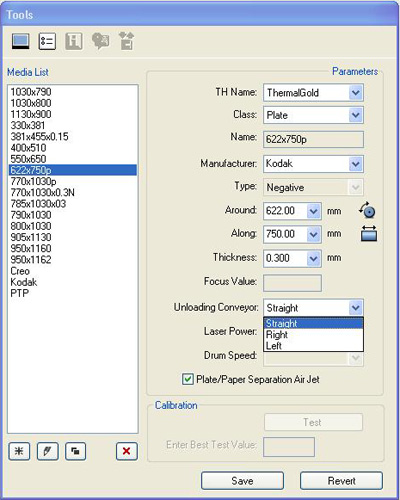
- Locate the Tools dialog box, define the customer’s plate, and
select the unloading conveyor’s direction.
Configuring the unloading conveyor speed
To configure the unloading conveyor speed, amend the following Registry
parameters:
- Loading system\Parameters\UnLoading Conveyor\Unloading Conveyor motor
plate receiving speed [mm/sec]
- Loading system\Parameters\UnLoading Conveyor\Unloading Conveyor motor
to processor speed [mm/sec]
- Loading system\Parameters\UnLoading Conveyor\Distance Between Conveyor
And Processor (mm)
Kodak unloading conveyor
There are two methods for configuring the Kodak unloading conveyor:
- Automatic configuration
- Manual configuration
Note: The manual configuration
is quicker to perform than the automatic configuration, but requires the
engineer to manually set up the unloading conveyor parameters
Automatic configuration
- If required, install Magnus 800 Controller software.
- In Magnus 800 Controller’s Install Shield dialog box, select
Straight Conveyor. The unloading conveyor’s parameters
are automatically configured to reflect the use of a straight unloading
conveyor.
Important: If the plate
does not clear the unloading conveyor exit detector within the allocated
time, the following error message is generated: ID = 7398 A plate
is stuck between the unloading conveyor to the processor.
To resolve this error message, adjust the timeout value of the
Magnus800/Software systems/Loading system/Parameters/Max time
for plate to reach Unloading Conveyor exit detector drom drum [msec]
parameter.
Manual configuration
- If required, install Magnus 800 Controller software.
- Manually update the unloading conveyor parameters. The parameters
are accessed from within the Magnus 800 Controller parameters’
folder.
HKEY_LOCAL_MACHINE\SOFTWARE\Kodak\Magnus800
- Amend the value of the following unloading conveyor parameter values
to 1 (as shown below):
- Software systems\Device system\Device general params\Unloading
conveyor Type installed (N=0, S=1, R=2, L=3, S+L=4; S+R=5, Rot=6,
3rdP=7) = 1.
- Platesetter\Unload Conveyor 1 option\MSB IOObjects\DC
motorsd\Unloading straight conveyor motor\Open = 1.
- Platesetter\Unload Conveyor 1 option\MSB IOObjects\DC
motors\Unloading front conveyor detector\Open = 1.
- Close the registry and restart Magnus 800 Controller.
- In Magnus 800 Controller, locate the Tools dialog box and perform
the following actions for each different media type:
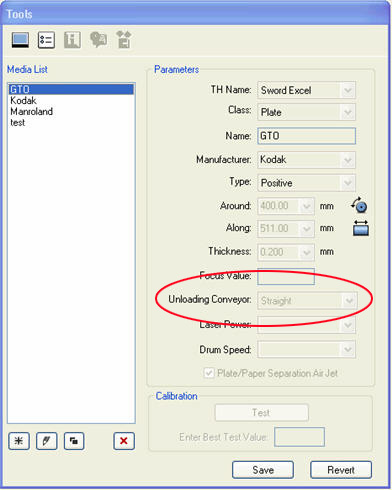
- Select a media from the Media List.
- Select a conveyor from the Unloading Conveyor
list.
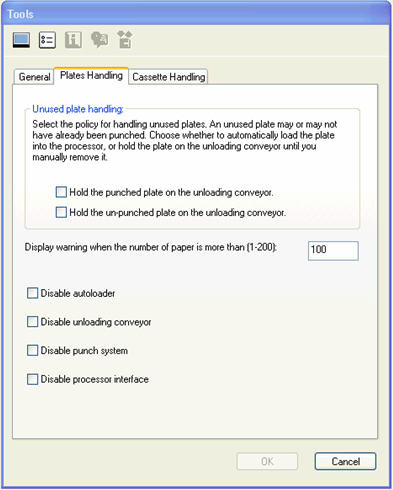
- From the Tools menu, select Preference Tool.
The Tools dialog box appears. Click the Plates Handling
tab and either check or clear the relevant check boxes according to
the configuration type.
Important: If the plate
does not clear the unloading conveyor exit detector within the allocated
time, the following error message is generated: ID = 7398 A plate
is stuck between the unloading conveyor to the processor.
To resolve this error message, adjust the timeout value of the
Magnus800/Software systems/Loading system/Parameters/Max time
for plate to reach Unloading Conveyor exit detector drom drum [msec]
parameter.
|

