Home | Contact Us | Submit Troubleshooting Info | Search | Help


    Output | Software Solutions | Proofing | Color, Screening and Calibration | Scanning | Digital Photography | Consumables | POS


Replacing the loading platform motor on the Magnus 800 platesetter


Product


Magnus 800 platesetter


Background


This procedure describes how to remove and replace the loading platform motor.


Procedure


Removing the loading platform motor

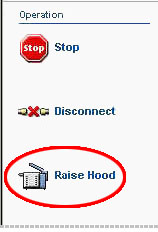
  1. In Magnus Controller click Raise Hood to raise the platesetter hood:


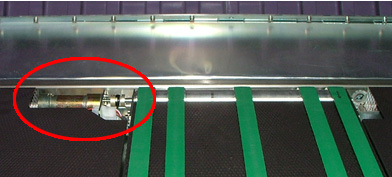
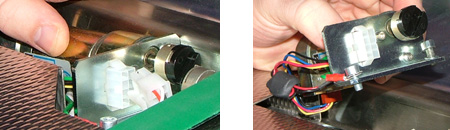
    The loading platform motor is located on the left side of the platesetter:


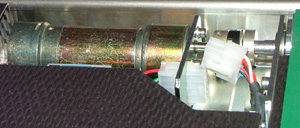
  2. Disconnect the connector leading from the motor to the conveyor shaft:


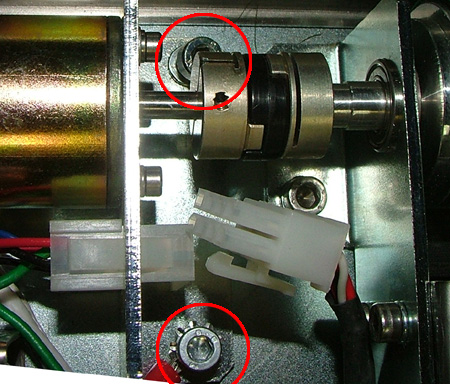
  3. Use a 4-mm hex key to remove the two screws securing the motor to the platesetter:


    Make sure the black plastic coupling does not fall into the platesetter.
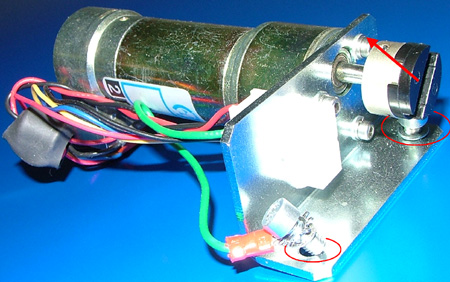
  4. Slide back the motor and carefully remove it from the platesetter:

Dismantling the motor

  1. Slide off the black plastic coupling.
  2. Remove the two screws located on the base of the bracket:


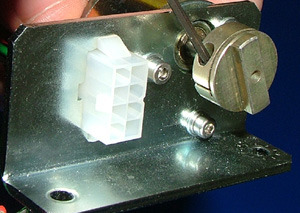
  3. Use a 2-mm hex key to extract the coupling set screw and remove the coupling:


Replacing the loading platform motor

Important: Unless otherwise stated, coat all screws in Loctite® 242.

In some circumstances, you may have to assemble the loading platform motor before it is inserted into the platesetter.

  1. Make sure the black plastic couplings on both the conveyor shaft and the motor are aligned and pointing in the same vertical direction.
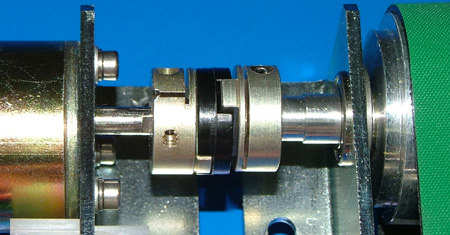
  2. Insert the motor into the platesetter. Make sure that the black plastic coupling on the motor fits inside the groove of the plastic coupling on the conveyor shaft:


  3. Use a 4-mm hex key to insert the two screws that secure the motor to the platesetter. (One of the screws also attaches the grounding cable to the motor.)
  4. Connect the connector leading from the motor to the conveyor shaft.

Assembling the loading platform motor

  1. Use a 2-mm hex key to insert the coupling set screw into the coupling.
  2. Connect the grounding cable to the motor.
  3. Slide the black plastic coupling onto the motor coupling.

Test

 
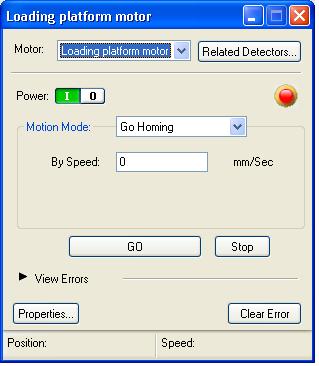
  1. In Magnus Controller locate the Loading platform motor dialog box:


  2. Click GO to activate the motor.
  3. Make sure the motor is working correctly.

Technical contact(s)
 

Content owner: Itai Peperovich
See the Escalation page for escalation contacts.

Date submitted
 

10 Jan 2005


    Copyright © 2005 Creo Inc. All rights reserved. Confidential. Back to top.