Home | Contact Us | Submit Troubleshooting Info | Search | Help


    Output | Software Solutions | Proofing | Color, Screening and Calibration | Scanning | Digital Photography | Consumables | POS


Replacing the leading edge clamp on the Magnus 800 platesetter


Product

  Kodak® Magnus™ 800 platesetter

Background

  There are six leading edge clamps (LECs) located on the drum. The LEC’s function is to grip the front of the plate on the drum.
This procedure describes how to replace a LEC.

Requirements

 
  • Torquemeter
  • Replacement LEC (part number 500-00774B)

Procedure

  Each LEC is secured into place with two LEC holders.
To remove a LEC it is only necessary to remove one of the LEC holders located adjacent to the faulty LEC.
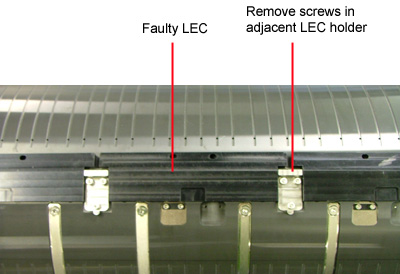


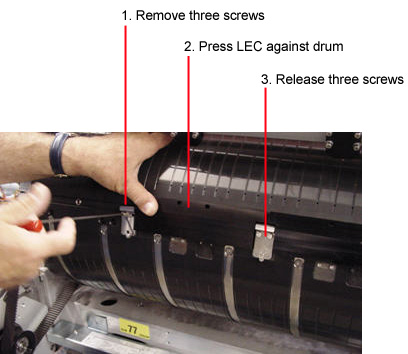
  1. Remove the three screws securing one of the LEC holders adjacent to the LEC.
    As you remove the LEC holder screws, firmly press the LEC against the drum.
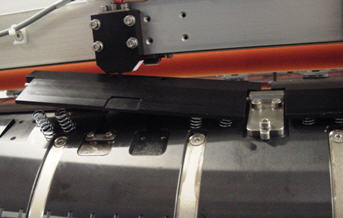
    This prevents the LEC springs (located beneath the LEC) from popping out or bending.
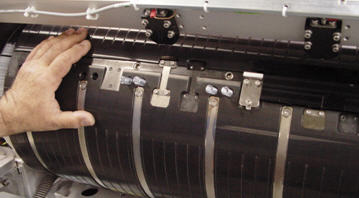
  2. Slightly release, but do not remove, the three screws securing the second adjacent LEC holder to the drum. Continue to press the LEC against the drum.


  3. Extract the LEC by slightly raising the LEC from the side where the LEC holder was removed. Do not raise the angle of the LEC too much otherwise the LEC springs will pop out and the LEC pin will become damaged.


  4. Replace the faulty LEC with the replacement LEC (part number 500-00774B).

    Important: Unless otherwise stated, coat all screws in Loctite® 242 adhesive.

    1. Slide the LEC pin into the adjacent LEC holder.
    2. Use a torquemeter, set to 2.1 n/m, to reinstall the three LEC holder screws and LEC holder removed in step 1.
    3. Use a torquemeter, set to 2.1 n/m, to retighten the three LEC holder screws loosened in step 2.
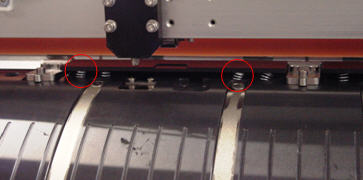
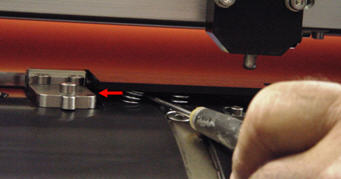
  5. Make sure the springs, located beneath the LEC, are straight. If required, insert a screwdriver beneath the LEC and gently straighten any bent springs.


Test

 
  1. Load a plate onto the drum and check for the following:
    1. Visually inspect the installed LEC. Make sure the edge of the plate is fully inserted beneath the LEC.
    2. Make sure the plate is not buckled.
  2. Expose the plate and check for the following:
    1. Loading process is functioning correctly.
    2. The exposed plate does not have any out-of-image artifacts.
    3. Unloading process is functioning correctly.

Technical contact
 

Content owner: Yaron Shifman
See the Escalation page for escalation contacts.

Date submitted
 

02 Jan 2007


    Copyright © 2005 Creo Inc. All rights reserved. Confidential. Back to top.