Home | Contact Us | Submit Troubleshooting Info | Search | Help
Output | Software Solutions | Proofing | Color, Screening and Calibration | Scanning | Digital Photography | Consumables | POS
Home | Contact Us | Submit Troubleshooting Info | Search | Help
Output | Software Solutions | Proofing | Color, Screening and Calibration | Scanning | Digital Photography | Consumables | POS
Product |
ThermoFlex® Wide II |
||
Machines affected |
ThermoFlex® Wide II with Sleeve Device |
||
Component |
Production hub |
||
Error |
The Production hub carriage is stuck and will not move in either direction. |
||
Cause |
The carriage brake mechanism has failed. |
||
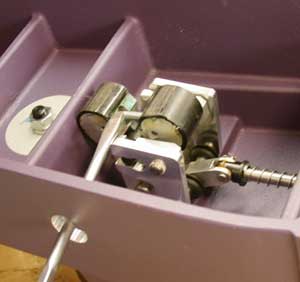
Solution |
In order for the brake assembly to be repaired or replaced, the brake must be disabled and the carriage
removed from the production hub arm. To disable the brake:
|
||
Technical contact(s) |
|||
Submitted by |
|||
Date submitted |
24 Aug 2004 |
||