Home | Contact Us | Submit Troubleshooting Info | Search | Help


    Output | Software Solutions | Proofing | Color, Screening and Calibration | Scanning | Digital Photography | Consumables | POS


Interlock-Related Messages Appear On ThermoFlex Narrow


Product


Kodak® ThermoFlex® Narrow


Error

 
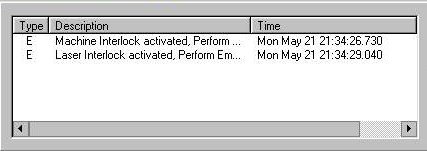
  • Machine Interlock activated, Perform ...
  • Laser Interlock activated, Perform Em...


Symptoms


Interlock-related messages appear in ThermoFlex Controller


Cause


The following are possible causes:

  • A door or panel is open
  • An interlock connector is loose or defective
  • A cable is pinched, so the interlock loop is not closed
  • The 10 A 250 V fuse on the trafo is burned
  • The laser interlock board is faulty
  • The power failure protector is faulty

Solution

 
  1. Verify that
    • All doors and panels are closed
    • All interlock connectors are firmly connected between the interlock and the distribution box
    • Cables that are close to moveable parts (like the head or doors and panels) are not damaged or pinched
  2. Check the interlock loops according to the wiring diagrams.
  3. Check if the 10 A 250 V fuse on the trafo is burned and replace if required.
  4. Replace the laser interlock board (part number 503C2L683) in the distribution box.
  5. Replace the power failure protector (see FCO 512-03310A on the FCO page).
  6. Reinstall the BIOS and the ThermoFlex Controller software.

Technical contact(s)
 

Viki Arviv

Submitted by
 

Lucas Bienkowski


Date submitted
 

10 Sep 2007


    Copyright © 2005 Creo Inc. All rights reserved. Confidential. Back to top.